
WorldCraft: 3D Build & Craft
Play Count0
Published2019-11-20
Supported DevicesPC
CategoryAction & Fighting
Rating★★★★★5.0Rate this game
📝WorldCraft: 3D Build & Craft Overview
Mine cubes, stack bricks, and sculpt your own voxel world in seconds—just don't blame me when the sun sets and you're still building.
💬What is WorldCraft: 3D Build & Craft?
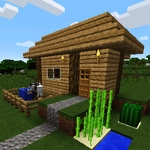
You load into a flat grid of grass blocks, sky stretching overhead, and within ten seconds you've already punched a hole in the ground. Left click to destroy, right click to place—that's the whole loop, and it's dangerously absorbing. The controls feel immediate: WASD to wander around, aim with the mouse, and the world bends to your clicks. No menus bogging you down. You just start shaping terrain, piling blocks into towers, carving out caves, or flattening hills because you can.
I spent my first twenty minutes building a crude staircase to nowhere, then realized I'd accidentally made a floating platform that looked like abstract art. The satisfaction of knocking out a block and slapping down a new one in its place never gets old. The 3D view gives you real depth perception, so you can judge distances when you jump from block to block or line up a long wall. There's no health bar or hunger meter—this is pure creative sandbox territory, no creepers breathing down your neck.
It's the kind of game you open for five minutes and close an hour later. The browser tab stays friendly to your RAM, no installs or accounts needed. If you like building things out of tiny cubes, you'll probably lose an afternoon to this. Just remember the Escape key exits your build mode—and maybe save a screenshot of your masterpiece before you inevitably tear it all down.
👥How to Play WorldCraft: 3D Build & Craft
Movement: W A S D
Destruction : Left Click
Build : Right Click
Exit : Escape
✨Game Tips
Use right-click to place blocks quickly—hold the button and drag to lay down whole rows.
Left-click excavation works fast, but aim slightly below your feet to dig straight down safely.
Build a tall pillar to survey the landscape, then knock it down block by block as you descend.
Work with the existing terrain first; flatten a small area before starting a big structure.
If you get stuck in your own creation, just break the block you're standing on and drift downward.
Switch between building and destroying often—the contrast helps you judge scale better.
🔧FAQ
Q: Is WorldCraft: 3D Build & Craft free?
A: Yes, it's completely free to play in your browser with no hidden costs.
Q: Can I play WorldCraft: 3D Build & Craft on mobile?
A: The game works best with a keyboard and mouse, but touch controls may be limited on some devices.
Q: Do I need to download anything?
A: No downloads required—just open the page and start building immediately.
Q: What are the controls for WorldCraft: 3D Build & Craft?
A: Use WASD to move, left click to destroy blocks, right click to place blocks, and Escape to exit.
Q: Can I save my builds in WorldCraft: 3D Build & Craft?
A: Saving depends on the platform version, but most browser builds don't include persistent saving.
Q: Does WorldCraft: 3D Build & Craft work offline?
A: Once loaded, the game can often run offline if the page stays open, but a connection is needed to load it.