
Worm Colors
Play Count0
Published2024-06-13
Supported DevicesPC + Mobile
CategoryArcade & Classic
Rating★★★★★5.0Rate this game
📝Worm Colors Overview
Steer a growing, color-coded worm through a maze of pellets and your own ever-lengthening tail before one wrong twitch ends the run.
💬What is Worm Colors?
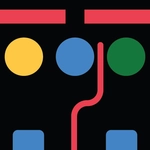
There's a special kind of panic that sets in when your worm is three screens long and a red pellet is on the wrong side of your own tail. Worm Colors keeps that pressure dialed up without any complicated menus or tutorials—just click or tap and the worm reacts. You'll start small, sliding around a clean white board while piles of colored dots wait to be eaten. Every dot you touch makes the worm longer, and every extra segment becomes a hazard. I found myself holding my breath on nearly every run because the real enemy isn't a timer or an opponent. It's your own greedy tail.
The controls are literally as simple as they come: mouse click or tap to steer. But simple doesn't mean easy. Early on you can get away with sloppy turns, chasing every pellet like a kid in a candy shop. Then you hit the 30-second mark and realize the worm has become a moving wall with a brain. Blue pellets might line up right behind a section of your body that's already curled, and suddenly you have to decide—lunge for it or bail out and loop wide. That decision, made in half a second, is what kept me coming back. The colors stay bright and friendly, which makes the brutal deaths feel oddly cheerful. No blood, no explosions, just a satisfying pop and a reset.
👥How to Play Worm Colors
Mouse click or tap to play
✨Game Tips
Stay near the center early; it gives you more room to coil when the tail gets long.
Keep your eyes on the head, not the food—collisions end runs faster than missed pellets.
Use quick taps for small corrections instead of swinging wide around corners.
If you're about to trap yourself, loop around a tight corner to buy a few seconds.
Learn the spacing between your worm's segments so you can judge narrow gaps.
Let a risky pellet go; surviving ten more seconds beats a greedy death.
🔧FAQ
Q: Is Worm Colors free to play?
A: Yes, Worm Colors is completely free to play in your browser with no hidden fees.
Q: Can I play Worm Colors on mobile?
A: Yes, the game supports touch controls, so you can play on phones and tablets.
Q: Do I need to download anything to play Worm Colors?
A: No downloads are needed—just open the page and click or tap to start playing.
Q: How do I control the worm in Worm Colors?
A: Simply click with your mouse or tap the screen to steer the worm's direction.
Q: What happens if the worm hits its own tail?
A: The run ends immediately, and you'll start a new game with a shorter worm.
Q: Is Worm Colors good for quick gaming sessions?
A: Definitely—runs are short, and the simple controls make it perfect for a few minutes of play.