
Youtuber Mcraft 2Player
Play Count0
Published2025-01-14
Supported DevicesPC + Mobile
CategoryAction & Fighting
Rating★★★★★5.0Rate this game
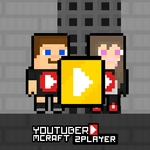
📝Youtuber Mcraft 2Player Overview
Grab a friend and jump into a blocky co-op challenge where two YouTubers hunt plaques and keys together.
💬What is Youtuber Mcraft 2Player?
My first run with a friend ended in finger-pointing, and I mean that as a compliment. Youtuber Mcraft 2Player drops you into a small, blocky obstacle course where coordination matters more than raw speed. One player uses WASD, the other the arrow keys, and both can double jump. That sounds simple until you realize the key and the chest aren't always on the same platform — you'll need to split up, call out positions, and then meet back once all the YouTube plaques are collected. I remember one jump where my partner bounced off a ledge I thought was unreachable, then had to wait while I fumbled the double jump three times. That shared frustration is weirdly fun.
The map isn't huge, but it's dense with trap gaps and blocky pillars that punish greedy jumps. Collecting the plaques isn't just a checklist; they're often placed just out of sync, so one player might grab three while the other stalls on a tricky wall. There's no timer, so the pressure comes from your own communication (or lack of it). If you're playing solo, it's still doable but clearly built for two — switching between both characters manually feels clunky, though it works for practice.
Visually it's a stripped-down Minecraft pastiche: blocky grass, simple stone, bright colors. Nothing fancy, but that's the point. The double jump gives just enough air control to recover from bad landings, and the key mechanic forces you to plan a route rather than race to the end. If you and a friend want a quick co-op platformer that needs no download, this one scratches that itch for a solid 20 minutes.
👥How to Play Youtuber Mcraft 2Player
*Use the WASD and Arrow keys to move.
*Double Jump available.
*Collect all YouTube plaques and find the key.
*After finding the key, reach the chest.
✨Game Tips
Treat the double jump as a safety net — save your second jump until you're past the peak of the first, it gives more horizontal drift.
Split the map mentally: one player goes left, the other right, and call out which plaques you've already grabbed.
Don't open the chest until both players have every plaque; walking back wastes time.
Use the other player's position as a visual cue for where the key is — the route is often easier from the side you least expect.
If you're playing solo, park one character at the chest and control the other; it's slower but you won't lose track of the key.
Tap jump instead of holding it — the double jump triggers on the second press, so spamming will burn it by accident.
🔧FAQ
Q: Is Youtuber Mcraft 2Player free?
A: Yes, it's completely free to play in your browser.
Q: Can I play Youtuber Mcraft 2Player on mobile?
A: It works best with a keyboard, but touch controls may be available depending on your device.
Q: Do I need to download anything?
A: No downloads. Just open the game page and start playing.
Q: Can I play it solo?
A: Yes, you can switch between both characters, but it's much harder alone.
Q: Why is the double jump sometimes not working?
A: If you press jump too quickly, you'll use both jumps at once and fall short.
Q: How do I win the game?
A: Collect all YouTube plaques, find the key, then both players reach the chest.