
Zero Squares
Play Count0
Published2021-09-20
Supported DevicesPC + Mobile
CategoryPuzzle & Thinking
Rating★★★★★5.0Rate this game
📝Zero Squares Overview
Swipe once and the whole grid lurches—your job is to use that momentum to wipe every last square off the board.
💬What is Zero Squares?
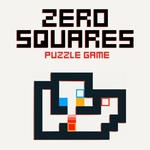
Zero Squares is the kind of puzzle that looks like a screensaver but plays like a tiny logic bomb. You get a grid, some colored squares, and four directions. A swipe or tap sends every square on the board sliding in that direction until it hits a wall or another square. Your goal is simple: end up with no squares at all.
The catch is that every move rearranges the whole board, so you're not just moving one piece—you're steering a crowd of stubborn blocks. I kept getting stuck on a level where one square refused to line up, only to realize I could shove a wall of squares into it from the side. That "aha" moment is what the game lives on. It's not about speed, though you can hurry if you want; it's about seeing two steps ahead while the board keeps shifting. There's no timer, no lives lost—just you and the grid, trying to outthink your last move.
The controls work with keyboard, mouse, or gamepad, and the minimalist style keeps your eyes on the only thing that matters: the next move. If you like puzzles that punish button-mashing but reward patience, Zero Squares will eat an hour before you notice. Each level feels like a tiny chess problem, and when you finally clear the last square, the silence is weirdly satisfying.
👥How to Play Zero Squares
Keyboard (WASD, Arrows), Touch/Mouse (Swipe Up, Down, Left, Right to move the squares), Gamepad
✨Game Tips
Plan in reverse: think about what the board looks like one move before the clear.
Don't chase single squares—move clusters to corner them.
Keyboard arrows are faster for retrying tricky levels.
If a square is stuck against a wall, use another square as a battering ram.
Watch how squares stack; test collisions early to learn the rules on the first level.
🔧FAQ
Q: Is Zero Squares free to play?
A: Yes, it's completely free on unblocked games sites.
Q: Do I need to download anything to play Zero Squares?
A: No download needed—it runs in any modern browser as HTML5.
Q: Can I play Zero Squares on my phone?
A: Yes, touch swipes work perfectly on mobile devices.
Q: What is the goal of Zero Squares?
A: Clear every square from the grid by sliding them all at once.
Q: Does Zero Squares have levels?
A: Yes, it has multiple puzzle levels that increase in difficulty.
Q: Can I use a gamepad with Zero Squares?
A: Yes, gamepad controls are supported if your browser detects one.