
Zombie Buster - Fullscreen HD
Play Count0
Published2021-03-25
Supported DevicesPC + Mobile
CategoryAction & Fighting
Rating★★★★★5.0Rate this game
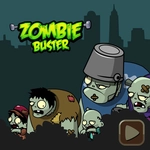
📝Zombie Buster - Fullscreen HD Overview
Blast wave after wave of rotting undead before they claw through your barricade in this fullscreen zombie shooter.
💬What is Zombie Buster - Fullscreen HD?
You're holed up behind a makeshift barricade, and the dead are shambling closer. Zombie Buster - Fullscreen HD strips the genre down to its rawest form: point, click, repeat. The fullscreen presentation makes every splatter and groan feel uncomfortably close, like you're watching a horror movie where the remote is also a gun.
Aiming is pure mouse—no WASD, no cover system. Just your cursor and a trigger finger. Each wave brings more of them, some shambling, some sprinting, and you'll need to prioritize the fast ones before they reach you. I found myself falling into a rhythm: pick off the closest, then sweep left for the stragglers, then hold steady when the screen fills with rotting faces. The game keeps tension high by never letting you breathe; there's no pause between waves, just a brief lull where you hear distant moans before the next horde.
It's not a deep game, but that's the appeal. You don't need to learn combos or manage inventory. You just need to be fast and accurate. On a big monitor in fullscreen, the red flashes and zombie groans hit different. If you've got ten minutes to kill and a mouse that can handle some frantic clicking, this is the kind of game that scratches that primal itch.
👥How to Play Zombie Buster - Fullscreen HD
tap, mouse left click
✨Game Tips
- Prioritize fast zombies before they close the gap.
- Aim for headshots—they drop in one hit most of the time.
- Don't waste clicks on distant targets if a closer one is about to bite.
- Use the edges of the screen to watch for flankers.
- Try to maintain a steady click rhythm instead of panic-spamming.
- If your mouse has adjustable DPI, lower it slightly for finer aim.
🔧FAQ
Q: Is Zombie Buster - Fullscreen HD free to play?
A: Yes, it's completely free in your browser—no downloads or payments required.
Q: Can I play Zombie Buster - Fullscreen HD on mobile?
A: The game is designed for mouse, but touch works in some browsers. For best experience, use a desktop with a mouse.
Q: Do I need to download anything to play?
A: No, it runs on HTML5 directly in your browser. Just click and start shooting.
Q: What are the controls?
A: Move your mouse to aim and left-click to shoot. Some versions also support tapping on touchscreens.
Q: Is there a way to pause or save progress?
A: The game is wave-based and endless, so progress isn't saved. You can pause by clicking outside the game area, but that may vary.
Q: Does Zombie Buster - Fullscreen HD have different weapons or upgrades?
A: The base game focuses on your starting gun, but some versions may unlock new weapons as you survive longer.