
Zombie City Parking
Play Count0
Published2022-02-21
Supported DevicesPC + Mobile
CategoryArcade & Classic
Rating★★★★★5.0Rate this game
📝Zombie City Parking Overview
Weave through undead traffic and steal parked cars, because parking in this city means surviving the horde long enough to line up your wheels.
💬What is Zombie City Parking?
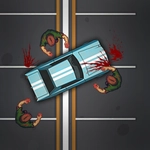
Zombie City Parking doesn't care about your clean driving record. The streets are crawling with shambling corpses, and the only way to stay alive is to keep moving. You pilot a beat-up sedan through cracked roads and flickering streetlights, looking for open cars to swap into and tight spaces to call your parking spot.
The moment that sold me? I ditched a smoking hatchback, sprinted past a zombie chewing on a hydrant, hit F to slide into a parked van, and realized the parking zone marker was on the second floor of a crumbling garage. Reversing into that spot while three undead fingers scraped my rear window felt less like a driving test and more like a horror short. The controls are simple—WASD or arrows to drive, F to enter and exit—but the chaos turns every successful park into a small victory.
There's no tutorial holding your hand, and that's fine. You'll learn quickly that standing next to a car too long is asking for a bite. Some vehicles handle like bricks, others like go-karts, and the city layout changes enough to keep you guessing. If you've ever wanted a parking sim where the penalty for a bad angle is getting eaten, this is your weird little nightmare.
👥How to Play Zombie City Parking
WASD or arrow keys to move
F to get in and out of cars
✨Game Tips
- Always keep a mental note of the nearest car exit point; if your current ride gets swarmed, bail early with F.
- Reverse parking is safer than forward when zombies crowd the rear—use your mirrors and small steering taps.
- Don't fight the horde; they only need one grab to slow you down. Drive around them whenever possible.
- Some parking spots are easier with a smaller car, so don't be afraid to swap vehicles mid-level.
- Watch the parking marker before entering a garage—some ramps are one-way.
🔧FAQ
Q: Is Zombie City Parking free to play?
A: Yes, it's completely free in your browser with no paywalls or hidden fees.
Q: Can I play Zombie City Parking on mobile?
A: The game runs on HTML5, so it works on most mobile browsers, though keyboard controls are best on desktop.
Q: Do I need to download anything to play?
A: No downloads required. Just open the page and the game loads instantly.
Q: What are the controls for Zombie City Parking?
A: Use WASD or arrow keys to drive, and press F to get in and out of cars.
Q: Is there a multiplayer mode in Zombie City Parking?
A: No, it's a single-player arcade driving game focused on surviving and parking.
Q: What happens if a zombie catches me?
A: You'll lose health and likely fail the current parking task, so keep moving and avoid crowds.