
Zombie Driver Squad 3D
Play Count0
Published2021-09-20
Supported DevicesPC + Mobile
CategoryDriving & Racing
Rating★★★★★5.0Rate this game
📝Zombie Driver Squad 3D Overview
Your squad's ride just became the last line of defense against a snarling undead horde—floor it, smash through, and don't stop.
💬What is Zombie Driver Squad 3D?
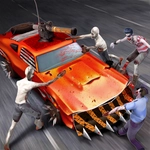
You know that moment in a zombie movie where the hero runs over a bunch of undead with a muscle car? That's the entire loop in Zombie Driver Squad 3D, and honestly, it's more satisfying than it has any right to be. You're not just driving—you're weaponizing every curb, every parked car, every conveniently placed ramp. The physics feel weighty: hit a walker at full speed and it launches off your hood like a ragdoll; clip a barrier and you'll feel the jolt through your mouse hand.
The controls are dead simple—mouse point and click, no keyboard gymnastics. You steer by moving the cursor, hold left click to accelerate, and the squad's vehicle responds with a slight drift that makes tight turns deliciously risky. Between runs you'll spend earned cash on upgrades: better engine, reinforced bumper, maybe a spiked plow if you're smart. I found myself hoarding coins for the nitro boost, because nothing clears a mob faster than a well-timed burst.
Don't let the hypercasual tag fool you—the later streets get dense, and you'll need to pick your lines carefully. One wrong turn into a cul-de-sac full of the undead and it's game over, but the retry button is right there, and you'll want to jump back in. The visual style is chunky and bright, almost like a toy set, which keeps the gore cartoonish rather than gross. All in all, this is a perfect lunch-break game: fast, chaotic, and endlessly replayable.
👥How to Play Zombie Driver Squad 3D
Use Mouse To Play and Follow introduction
✨Game Tips
Save your nitro for intersections or mob clusters—don't waste it on a lone walker.
Drifting around corners can be faster, but it also widens your hitbox; practice on open streets first.
The spiked bumper upgrade pays for itself when the zombie density ramps up.
Keep an eye on your rearview—zombies behind you won't slow you down, but they can surprise you when you reverse.
If you're about to crash, release the mouse button early; coasting beats faceplanting.
Coin pickups spawn near hazards, so sometimes a risky detour is worth it.
🔧FAQ
Q: Is Zombie Driver Squad 3D free to play?
A: Yes, it's completely free on this site. No hidden fees or subscriptions.
Q: Can I play Zombie Driver Squad 3D on my phone?
A: Absolutely, the HTML5 version works in mobile browsers. Just tap and drag to steer.
Q: Do I need to download anything to play?
A: No downloads needed. It runs directly in your browser, no setup required.
Q: What are the controls for Zombie Driver Squad 3D?
A: Use the mouse to steer and click to accelerate. Release to brake or reverse.
Q: Is this game safe for kids?
A: The violence is cartoonish, no blood or gore. Fine for younger players with some supervision.
Q: Can I play Zombie Driver Squad 3D at school?
A: Yes, it's unblocked and works on most school networks. Enjoy your free time!