
Zombie Mission 11
Play Count0
Published2022-06-24
Supported DevicesPC
CategoryAction & Fighting
Rating★★★★★5.0Rate this game
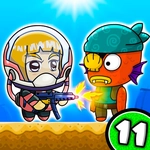
📝Zombie Mission 11 Overview
Grab a friend—or your keyboard's second set of keys—because this co-op zombie bash throws waves of the undead at you while you build turrets, unlock weapons, and fight your way through story missions.
💬What is Zombie Mission 11?
This is the kind of co-op action that works best with a buddy on the same couch, one of you hammering WASD while the other mashes arrows. The zombie hordes never stop coming, but the real hook for me was unlocking turrets and leveling up my damage output. Early on, you'll feel like you're tickling zombies with peashooters, but by the time the full-auto weapons show up, oh boy, it's a different game.
The mission structure keeps things moving. You're not just standing in a field blasting away; there are objectives and special zombies that demand more than holding the fire key. I kept getting cornered until I learned to use grenades like a panic button. Mega Hit is your charged heavy attack—hold C, let the bar fill, then release it into a crowd. Timing that against shielded enemies turned a few near deaths into clutch saves. The special attack (Q+E) is a lifesaver when your weapon switches feel clumsy, and yes, you can jump and walk on walls, which saved me more times than I'll admit.
If you're solo, you can technically manage both characters, but honestly, this game wants two sets of fingers. The difficulty spikes hard in later missions, and the difference between a coordinated pair and two people flailing is night and day. Stick with it, upgrade smart, and you'll find a satisfying loop here that's better than most browser zombie shooters.
👥How to Play Zombie Mission 11
PLAYER 1
Move: "W,A,S,D"
Hit: "C"
Mega Hit: "Hold C Key and Release"
Grenade: "V"
Jump: "W"(Walk on the wall / Swimming Up )
Switch weapon: "Q-E"
Special Attack: "Q+E" (When the bar is full)
PLAYER 2
Move: "ARROW K
✨Game Tips
Hold C to charge Mega Hit, then release right before a big group reaches you—shields mean nothing if you time it.
Switch weapons with Q and E constantly; some guns shred normal zombies but tickle armored ones, so stay flexible.
Save grenades for when you're truly surrounded or when a shielded zombie is blocking your path.
Don't forget you can jump onto walls and swim upward—many levels hide turret parts or extra ammo above the usual path.
Build turrets early in each mission; they act like extra players and can thin out waves while you focus on objectives.
When the special attack bar fills, trigger Q+E immediately rather than waiting for a perfect moment—it refills faster than you think.
🔧FAQ
Q: Is Zombie Mission 11 free?
A: Yes, it's completely free to play in your browser, no hidden paywalls.
Q: Can I play Zombie Mission 11 on mobile?
A: The controls are tuned for keyboard, so mobile is not recommended for this one.
Q: Do I need to download anything?
A: No download needed. Just open the page and start playing—it runs in HTML5.
Q: Can two people play on the same computer?
A: Absolutely. Player 1 uses WASD and C/V/Q/E, Player 2 uses arrow keys and their own action keys.
Q: What happens if I play solo?
A: You can control both characters, but expect a serious difficulty jump in later missions.
Q: Are there checkpoints in the missions?
A: Each mission restarts from the beginning if you fail, but your weapon unlocks and upgrades persist.