
Zombie Mission 12
Play Count0
Published2022-11-24
Supported DevicesPC
CategoryAction & Fighting
Rating★★★★★5.0Rate this game
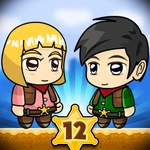
📝Zombie Mission 12 Overview
Lock and load for a two-player zombie bloodbath where teamwork isn't optional—it's the only thing keeping you from becoming lunch.
💬What is Zombie Mission 12?
You and a friend drop into a side-scrolling zombie apocalypse that punishes lone wolves. Player one gets the keyboard's left side (WASD, C to smack, V for grenades), player two takes the arrows. There's no split-screen confusion—you share one screen and have to communicate because a zombie chewing on your partner is a zombie you're not killing. Ammo runs dry fast, so that reload key (X) becomes muscle memory. The mega hit? Hold C, wait for the wind-up, then release to turn a crowd into paste. It feels fantastic every single time.
The special attack bar changes everything. When it fills, hitting Q+E together triggers a screen-clearing move that rewards you for staying alive long enough to use it. I kept saving mine for boss fights, only to realize a dozen normal zombies cornering me was the real threat. Weapon switching with Q and E cycles through whatever you've picked up—shotguns, rifles, maybe a flamethrower if you're lucky. Each one changes how you move; the shotgun pushes you back slightly, so spamming it near a ledge is a fast way to eat dirt.
It's not a deep story game. It's a co-op zombie brawler with tight controls and enough chaos to make you yell at your screen. The difficulty ramps up without feeling unfair, and the two-player requirement means you'll actually have to talk to someone. I wouldn't call it relaxing—it's tense in the best way.
👥How to Play Zombie Mission 12
PLAYER 1
Move: "W,A,S,D"
Hit: "C"
Mega Hit: "Hold C Key and Release"
Grenade: "V"
Reload: "X"
Jump: "W"(Walk on the wall / Swimming Up )
Switch weapon: "Q-E"
Special Attack: "Q+E" (When the bar is full)
PLAYER 2
Move: "ARROW KEYS"
✨Game Tips
Hold C for the mega hit and release only when a group is within range—the knockback is huge but the wind-up leaves you open.
Save grenades for choke points, not single zombies. A well-placed V can clear a doorway and buy you breathing room.
Coordinate with player 2: one person draws aggro while the other reloads or lines up a special.
Watch the special attack bar and trigger Q+E when your partner is downed—it clears space for a revive.
Switch weapons with Q/E based on range. Shotgun for close crowds, rifle for distant threats, and never hold a heavy weapon in tight corridors.
Jump (W for P1) isn't just for platforms—use it to dodge low zombie grabs and reposition quickly.
🔧FAQ
Q: Is Zombie Mission 12 free?
A: Yes, it's a free HTML5 game—no download or payment needed.
Q: Can I play on mobile?
A: The controls are built for a keyboard, so mobile play isn't recommended. Use a desktop or laptop.
Q: Do I need to download anything?
A: No, it runs directly in your browser. Just click play and go.
Q: Can I play alone?
A: It's a two-player co-op game, but you can control Player 1 solo if you don't have a partner.
Q: What are the controls?
A: P1: WASD move, C hit, V grenade, X reload, Q/E switch, Q+E special. P2: arrow keys.
Q: Does it save my progress?
A: Progress isn't saved between sessions; each run is a fresh mission.