
Zombie Mission 5
Play Count0
Published2020-09-16
Supported DevicesPC
CategoryAction & Fighting
Rating★★★★★5.0Rate this game
📝Zombie Mission 5 Overview
Grab a partner, split the keyboard, and see how long you can hold out when the dead start pouring through every window.
💬What is Zombie Mission 5?
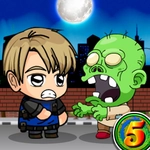
Zombie Mission 5 drops you and a buddy into a grimy, overrun city where every boarded-up window hides something that wants your brains. I fired it up expecting another mindless blaster, but the two-player co-op actually forces you to think—ammo is scarce, zombies pour in from both sides, and that freaking wall-jump mechanic saved my life more times than I can count. Player 1 handles WASD and F to smack, G for grenades, Q to cycle weapons; Player 2 gets arrows and L, K, P. The split control scheme sounds clunky on paper, but once you settle in, it turns into a rhythm: he shoots high, I sweep low, we swap weapons mid-horde without a word.
What kept me coming back wasn't just the carnage—it's the little moments. Like when you realize the grenade isn't just for crowd control; toss one at a wall and it bounces, letting you hit zombies hiding behind cover. Or the wave where you both run dry, back into a corner, and the only move left is to wall-jump up onto a dumpster and pray the next ammo crate drops before you're swarmed. The game doesn't hold your hand. It throws twenty zombies at you, gives you six bullets, and dares you to figure it out. That's exactly why it works with two players on one keyboard. You'll yell, you'll laugh, you'll blame each other for the wipe—and then you'll hit restart and do it again.
Graphically it's nothing fancy, but the animations are crisp and the hit feedback feels solid. The health bar ticks down fast, so you learn to dodge instead of tank. Honestly, for a free browser game, Zombie Mission 5 punches way above its weight. Grab a friend and go get eaten.
👥How to Play Zombie Mission 5
Player 1:
Move: "W,A,S,D"
Hit: "F"
Grenade: "G"
Jump: "W"(Walk on the wall)
Switch weapon: "Q"
Player 2:
Move: "ARROW KEYS"
Hit: "L"
Grenade: "K"
Jump: "UP ARROW KEY" (Walk on the wall)
Switch weapon: "P"
✨Game Tips
Save grenades for choke points, not single zombies; the bounce can clear an entire doorway.
Wall-jumping isn't just for dodging—use it to get behind a pack and melee from the safe side.
Swap weapons constantly; some guns pierce, others knock back, and switching is faster than reloading.
If one player goes down, the other should kite the horde instead of reviving immediately—clear a few first.
Ammo drops appear after certain kills, so don't waste shots on faraway zombies; let them close in.
Coordinate your fire: one shoots legs to slow, the other goes for headshots.
🔧FAQ
Q: Is Zombie Mission 5 free to play?
A: Yes, it's completely free in your browser—no hidden costs or in-game purchases.
Q: Can I play Zombie Mission 5 on mobile?
A: No, this one requires a physical keyboard. You need two players on one keyboard, so a PC or laptop is best.
Q: Do I need to download anything to play?
A: Nope. It runs right in your browser using HTML5, so just open the page and start playing.
Q: Can I play Zombie Mission 5 alone?
A: It's designed for two players. You could try controlling both characters solo, but it gets brutally hard fast.
Q: What are the controls for Player 2?
A: Player 2 uses the arrow keys to move, L to hit, K for grenades, and P to switch weapons. Up arrow wall-jumps.
Q: Does Zombie Mission 5 support gamepads?
A: No gamepad support. It's built purely for keyboard play, with both players sharing the same keyboard.