
Zombie Mission 6
Play Count0
Published2020-12-30
Supported DevicesPC
CategoryAction & Fighting
Rating★★★★★5.0Rate this game
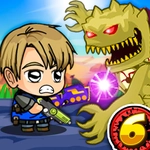
📝Zombie Mission 6 Overview
Grab a partner, stock up on grenades, and fight through zombie-packed corridors where one wrong move turns a rescue run into a last stand.
💬What is Zombie Mission 6?
Zombie Mission 6 drops you and a friend into a grimy, undead-infested facility where teamwork isn't optional—it's survival. You'll move with WASD and swing with F while your partner uses arrow keys and L. That split control scheme actually matters: one of you can draw a horde while the other flips a switch or grabs a keycard. Fail to communicate and you'll both get swarmed fast.
The wall-walk mechanic is the weirdest part, and I mean that as a compliment. Pressing W or up against a wall lets you scramble along it, which opens up sneaky angles and escape routes when the floor gets too crowded. Switching weapons with Q or P adds another layer—some guns shred close-up, others ping zombies from across the screen. Grenades are limited, so save them for clusters or when a downed teammate needs space to breathe.
What kept me coming back isn't just the shooting—it's the puzzle bits. Levels aren't straight corridors; they loop, lock, and require both players to stand on pressure plates or time a distraction. There's a moment early on where a locked door forces one player to hold a button while the other fights off three zombies in a narrow shaft—pure panic. The retro art is clean but grimy enough to sell the apocalypse, and the difficulty ramps without feeling unfair. If you've got a friend who actually talks while gaming, this one's a solid afternoon. Just don't blame me when you both yell at each other over a missed grenade throw.
👥How to Play Zombie Mission 6
Player 1:
Move: "W,A,S,D"
Hit: "F"
Grenade: "G"
Jump: "W"(Walk on the wall)
Switch weapon: "Q"
Player 2:
Move: "ARROW KEYS"
Hit: "L"
Grenade: "K"
Jump: "UP ARROW KEY" (Walk on the wall)
Switch weapon: "P"
✨Game Tips
Save grenades for when a teammate gets grabbed or a door opens into a packed room; panic-throwing wastes your best crowd control.
Use the wall-walk constantly—it keeps you off the floor where most zombie attacks land and lets you kite enemies around corners.
Don't both focus the same zombie. Flank big enemies so one player draws its swing while the other dumps damage into its back.
Switch weapons early. The starting pistol is weak; Q or P cycles to shotguns and rifles that change how you hold chokepoints.
If one player goes down, the other should clear a small circle first, then revive—don't stand there eating hits while reviving.
Coordinate pressure plates before engaging the horde; standing on switches triggers door timers that can trap you if ignored.
🔧FAQ
Q: Is Zombie Mission 6 free to play?
A: Yes, it's completely free to play right in your browser with no hidden fees.
Q: Do I need to download anything to play Zombie Mission 6?
A: No downloads needed—just open the game and start playing. It runs on HTML5 so most browsers work.
Q: Can I play Zombie Mission 6 on mobile?
A: The controls are designed for keyboard with two players, so mobile may not work well. Desktop is recommended.
Q: How do I play with a friend?
A: Both players share the same keyboard. Player 1 uses WASD, F, G, Q; Player 2 uses arrow keys, L, K, P.
Q: What's the hardest part of Zombie Mission 6?
A: Managing two players at once. Communication helps—call out who's handling keys and who's clearing zombies.
Q: Can I play Zombie Mission 6 single-player?
A: You can, but it's much tougher alone. The game is balanced for two players, so bring a friend if you can.