
Zombie Mission 8
Play Count0
Published2021-06-10
Supported DevicesPC
CategoryAction & Fighting
Rating★★★★★5.0Rate this game
📝Zombie Mission 8 Overview
Grab a friend, load up, and blast through wave after wave of rotting undead in this co-op zombie cleanup that never lets up.
💬What is Zombie Mission 8?
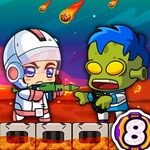
Zombie Mission 8 is the kind of game that sneaks up on you. It looks like a simple side-scrolling shooter, but the co-op rhythm is what makes it tick. Player one uses WASD to move, F to smack zombies with a melee hit, G to lob a grenade, and Q or E to cycle weapons. Player two mirrors that on the arrow keys with L, K, and O/P. The wall-walking jump is a weird touch — you press W or Up to hop onto certain walls, which opens up sneaky flanking routes and escape paths when a horde corners you.
What sold me was the moment we ran out of ammo in the middle of a warehouse full of the undead. My partner threw a grenade to clear a lane while I switched to the bat and started swinging. We barely made it to the ammo crate, and that panic is exactly the kind of thing you don't get from single-player zombie games. Each mission has objectives beyond just killing — rescue survivors, destroy barricades, collect keycards — and the two characters have slightly different weapon loadouts, so you learn to complement each other.
The difficulty ramps up nicely without feeling unfair. You'll learn to save grenades for tight clusters, not panic throws. The retro pixel art isn't flashy, but the animations are readable, which matters when you're trying to time a melee hit. If you have a friend on the same keyboard, this is a solid afternoon. If you're solo, you can technically play both characters, but it's not the same. Grab someone, share the keyboard, and don't skip the tutorial.
👥How to Play Zombie Mission 8
Player 1:
Move: "W,A,S,D"
Hit: "F"
Grenade: "G"
Jump: "W"(Walk on the wall)
Switch weapon: "Q-E"
Player 2:
Move: "ARROW KEYS"
Hit: "L"
Grenade: "K"
Jump: "UP ARROW KEY" (Walk on the wall)
Switch weapon: "O-P"
✨Game Tips
Save grenades for groups of three or more; one zombie isn't worth the cooldown.
Stick together — reviving a downed partner takes time, and lone wolves get swarmed fast.
Use wall jumps to reach high ledges for ammo and health kits before fights.
Learn each character's weapon swap order so you can react without looking at the keyboard.
Melee is faster than it looks; don't reload in a zombie's face — swing instead.
On boss missions, focus fire on the glowing weak points and keep moving between platforms.
🔧FAQ
Q: Is Zombie Mission 8 free to play?
A: Yes, it's completely free in your browser with no hidden charges.
Q: Do I need to download anything to play Zombie Mission 8?
A: No downloads required — it runs on HTML5 and works directly on the site.
Q: Can I play Zombie Mission 8 on mobile?
A: The game is designed for keyboard controls, so a physical keyboard is recommended.
Q: Can I play Zombie Mission 8 alone?
A: Yes, but it's built for two players; solo play means controlling both characters yourself.
Q: What are the controls for player 1?
A: WASD to move, F to hit, G for grenade, Q/E to switch weapons, and W to wall jump.
Q: How do I revive a downed partner?
A: Stand next to them and press your hit button (F or L) to help them back up.