
Zombie Mission 9
Play Count0
Published2021-09-02
Supported DevicesPC
CategoryAction & Fighting
Rating★★★★★5.0Rate this game
📝Zombie Mission 9 Overview
Grab a friend, pick your weapons, and battle wave after wave of zombies in a side-scrolling shooter where wall jumps and grenade timing mean the difference between life and being lunch.
💬What is Zombie Mission 9?
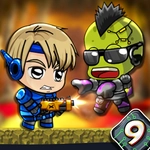
I loaded up Zombie Mission 9 expecting another mindless zombie shooter, but the co-op platforming caught me off guard. You and a partner (or you solo if you're feeling masochistic) pick a hero and drop into stages that mix precise jumps with frantic gunplay. The wall-cling jump is a lifesaver when zombies swarm from both sides—you can leap onto a wall, cling for a beat, then spring over a crowd that was about to corner you. I remember one moment where my buddy tossed a grenade into a cluster of shamblers, I wall-jumped over a charging brute, and we barely scraped through with one health pip each. That's the kind of panic-coordination this game thrives on.
Weapon switching matters more than you'd think. You're not stuck with one gun—cycling between a shotgun for close quarters and something with range lets you control space. Ammo isn't infinite, so you'll find yourself swapping mid-fight just to keep firing. The difficulty ramps up gently at first, then throws rooms where two players have to split attention: one covers a window while the other clears a hallway. It's simple on paper, but the timing of jumps and grenade throws keeps your hands busy. If you've got a friend on the same keyboard, this is one of the better local co-op zombie games you can fire up without downloads or sign-ups.
👥How to Play Zombie Mission 9
Player 1:
Move: "W,A,S,D"
Hit: "F"
Grenade: "G"
Jump: "W"(Walk on the wall)
Switch weapon: "Q-E"
Player 2:
Move: "ARROW KEYS"
Hit: "L"
Grenade: "K"
Jump: "UP ARROW KEY" (Walk on the wall)
Switch weapon: "O-P"
Yo
✨Game Tips
Save grenades for clusters or armored zombies—wasting them on a single shambler will leave you wishing you hadn't.
Coordinate weapon switching: let one player handle long range while the other takes close-quarters, then swap roles when ammo runs low.
Use wall jumps aggressively. Zombies can't climb, so vertical movement is your best escape route from a corner trap.
If one player goes down, don't rush in. Lure the pack away with grenades or gunfire before going for the revive.
Switch weapons often even if you like one—firing through your ammo and being forced into your secondary is better than reloading with a zombie in your face.
🔧FAQ
Q: Is Zombie Mission 9 free to play?
A: Yes, it's completely free on unblocked game sites with no paywalls.
Q: Can I play Zombie Mission 9 on mobile?
A: The game is designed for keyboard controls, so mobile play is not recommended.
Q: Do I need to download anything to play?
A: No, it runs directly in your browser as an HTML5 game.
Q: Does Zombie Mission 9 support two players on one keyboard?
A: Yes, Player 1 uses WASD and F/G, while Player 2 uses arrow keys and L/K.
Q: How do I switch weapons in Zombie Mission 9?
A: Press Q and E for Player 1, or O and P for Player 2 to cycle through your arsenal.
Q: Can I save my progress in Zombie Mission 9?
A: Progress is not saved between sessions—each playthrough starts fresh.