
Zombie Quell 3D
Play Count0
Published2026-07-01
Supported DevicesPC
CategoryAction & Fighting
Rating★★★★★5.0Rate this game
📝Zombie Quell 3D Overview
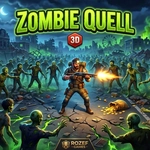
Blast through swarming hordes of undead in this tense 3D shooter where every reload could be your last, and every corner hides a monster.
💬What is Zombie Quell 3D?
Zombie Quell 3D drops you into dark, claustrophobic arenas where the undead just keep coming. You're not a hero — you're a survivor with a gun and a prayer. The mouse aims, left click fires, and R reloads, but the real trick is knowing when to run. I spent my first few runs backing into corners, convinced the shambling silhouettes were closer than they looked. They usually were.
The weapon switching on Q or Tab saved my life more times than I can count. There's a rhythm to it: shotgun blast up close, pistol for distance, then a desperate scramble to grab a new gun off the floor before the horde closes in. That pickup mechanic (E on desktop, tap the icon on mobile) forces you to keep moving — camp in one spot and you'll get overwhelmed. I remember rounding a corner, spotting a shotgun just out of reach, and deciding whether to risk the dash. That tension is the whole game.
On a tablet, the twin sticks work surprisingly well, though landscape mode is basically mandatory — portrait view feels like fighting with one eye closed. The difficulty ramps up slowly, but a single mistake can end a run. For a free browser shooter, it's got real bite. You'll die, you'll reload, you'll try again. That loop is simple, but it works.
👥How to Play Zombie Quell 3D
DESKTOP: WASD / Arrow Keys - Move | Mouse - Aim | Left Click - Shoot | R - Reload | Q or Tab - Switch Weapon | E - Pick Up Weapon | Esc - Pause
MOBILE / TABLET: Left Stick - Move | Right Stick - Aim & Fire | Tap E - Pick Up | Best played in landscape.
✨Game Tips
Keep moving constantly — standing still gets you swarmed fast.
Save the shotgun for close range; pistol is better for thinning distant zombies.
Reload before entering a new room, even if you still have half a mag.
On mobile, use the left stick to strafe while aiming with the right stick to stay mobile.
Grab any weapon drop immediately, even if it's not your favorite — a full gun beats an empty one.
Use corners to peek and shoot, but don't back yourself into them.
🔧FAQ
Q: Is Zombie Quell 3D free to play?
A: Yes, it's completely free in your browser.
Q: Can I play Zombie Quell 3D on mobile?
A: Yes, it works on tablets and phones, best in landscape mode.
Q: Do I need to download anything?
A: No download needed — just open the game and start shooting.
Q: What are the desktop controls?
A: WASD or arrows to move, mouse to aim, left click to shoot, R to reload.
Q: How do I switch weapons?
A: Press Q or Tab on desktop, or tap the weapon icon on mobile.
Q: Is Zombie Quell 3D too hard for beginners?
A: It starts manageable but gets tougher; learn to keep moving and you'll survive longer.