
Zombie Road 3D
Play Count0
Published2021-05-25
Supported DevicesPC
CategoryAction & Fighting
Rating★★★★★5.0Rate this game
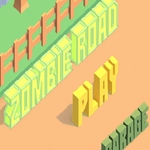
📝Zombie Road 3D Overview
Mow through shambling hordes as you race down a post-apocalyptic highway, switching between the gas pedal and a loaded revolver.
💬What is Zombie Road 3D?
I'll say this straight: Zombie Road 3D is not a relaxing drive. You're behind the wheel of a beat-up car on a highway that's basically a moving buffet for the undead. Arrows steer and accelerate, the mouse aims, and clicking fires whatever weapon you've scavenged. The loop is simple — reach the next checkpoint without becoming a zombie snack. But simple doesn't mean easy.
The first time I played, I treated it like a normal driving game. Big mistake. Zombies don't politely step aside; they shamble right into your lane, and if you slow down to admire the scenery, three of them will be clawing at your door. You learn to keep one eye on the road and the other on the crosshair. Ammo isn't infinite either, so every shot counts. Headshots drop them faster, but body shots knock them back just enough to squeeze through a gap. One run, I thought I'd drift through a tight corner, but the car fishtailed straight into a cluster of the undead. Lesson learned: momentum is a weapon and a liability.
The 3D perspective adds real tension. Wrecked cars, oil slicks, and sudden turns force you to brake or swerve, and swerving into a crowd of zombies is rarely a good plan. Upgrades (if you survive long enough) let you trade up to a tougher vehicle or a faster-firing gun, and that changes your approach from "pray and spray" to something almost tactical. It's not a deep survival sim, but it nails the frantic rhythm of an arcade zombie road trip.
👥How to Play Zombie Road 3D
Arrows,Click,Mouse
✨Game Tips
Prioritize headshots when zombies are far away; it saves ammo for close calls.
Keep moving — a stationary car is a zombie magnet, even if you're reloading.
Use short controlled bursts instead of holding fire; the crosshair bloom gets wild.
Watch the road edges: wrecked cars can clip you even when they look harmless.
Save weapon upgrades for when the screen gets crowded; don't waste them on lone zombies.
🔧FAQ
Q: Is Zombie Road 3D free to play?
A: Yes, it's completely free in your browser with no hidden paywalls.
Q: Do I need to download anything to play?
A: No download needed — it runs on HTML5, so just open the page and start driving.
Q: Can I play Zombie Road 3D on my phone?
A: Yes, it supports touch controls, though a mouse and keyboard feel more precise.
Q: What are the controls?
A: Arrow keys steer and accelerate, mouse aims, and click or spacebar shoots.
Q: Is there blood or gore in the game?
A: The violence is cartoonish, with zombies falling apart rather than graphic gore.
Q: How do I unlock new cars or weapons?
A: Survive checkpoints and collect coins to spend on upgrades between runs.