
ZombieCraft
Play Count0
Published2022-10-12
Supported DevicesPC + Mobile
CategoryAction & Fighting
Rating★★★★★5.0Rate this game
📝ZombieCraft Overview
Grab your pickaxe and your shotgun — the blocky apocalypse doesn't care which one you swing first.
💬What is ZombieCraft?
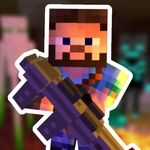
ZombieCraft drops you into a voxel wasteland where every block you break might be hiding a shambling corpse behind it. Movement feels familiar if you've played any blocky sandbox game, but the constant threat changes how you approach mining: you're not just gathering resources, you're clearing rooms before they clear you. I kept finding myself doing the same thing over and over — sprinting into a new area, firing wildly, then scrambling to pick up the glowing loot before more zombies closed in. That loop is simple, but it works. The right mouse aim feels sharp, and switching between a pickaxe melee swing and a shotgun blast is satisfying.
What surprised me is how much the survival mechanics matter. You have to manage ammo carefully; running out mid-horde is a guaranteed death sentence. The game doesn't hold your hand — it throws a wave at you early and says "figure it out." That might frustrate some, but it kept me coming back because each death taught me a better route or timing. The mobile controls work fine, but I'd recommend keyboard and mouse if you want precise headshots on the faster zombie variants.
One annoyance: the spawning can feel cheap in larger open areas, as zombies pop up behind you without much audio cue. But that's part of the tension, I guess. Overall, ZombieCraft is a solid time-killer for lunch breaks, especially if you like Minecraft's look but need more actual combat. Don't expect deep story or crafting — just grab a gun, break a few blocks for cover, and try not to become zombie chow.
👥How to Play ZombieCraft
Mobile controls are available.
WASD to move
LMB to shoot
RMB to aim
Space to jump
Left shift to run
✨Game Tips
Always keep a block in your hotbar to build an emergency wall when a horde corners you.
Headshots do bonus damage, so practice the right-click aim until it feels natural.
The shift key sprint drains stamina fast — save it for escaping, not crossing flat ground.
Break the glowing ore blocks first; they drop ammo packs that keep you fighting longer.
Zombies can't jump over two-block-high barriers, so build a quick tower and pick them off.
Switch to your pickaxe when a zombie gets close to knock it back without wasting bullets.
🔧FAQ
Q: Is ZombieCraft free to play?
A: Yes, it's completely free in your browser with no paywalls.
Q: Can I play ZombieCraft on my phone?
A: Yes, touch controls are available, but keyboard and mouse give better aiming.
Q: Do I need to install anything to play ZombieCraft?
A: No install needed — just open the page and the game runs instantly.
Q: What are the controls for ZombieCraft?
A: Use WASD to move, left mouse button fires, right mouse aims, space to jump, and left shift sprints.
Q: Does ZombieCraft have multiplayer?
A: No, it's a single-player survival action game.
Q: How do I save my progress in ZombieCraft?
A: Progress saves automatically in your browser between sessions.