
3D Bus Parking
Play Count0
Published2021-12-20
Supported DevicesPC + Mobile
CategoryAdventure & RPG
Rating★★★★★5.0Rate this game
📝3D Bus Parking Overview
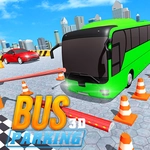
Take the wheel of a full-size city bus, squeeze through tight gaps, and reverse into painted stalls without kissing the curb—how steady are your hands?
💬What is 3D Bus Parking?
You're behind the wheel of one of those long, lumbering city buses that feels like driving a living room on wheels. The parking lot isn't doing you any favors either—cones dotted everywhere, sharp corners, and stalls that look about two feet wider than the bus itself. The controls are simple: WASD or arrow keys for throttle and steering, and reload if you clip something. But simple controls don't mean simple driving. The bus has real weight and a turning radius that laughs at your confidence.
Here's the thing that got me: reverse parking. The game gives you a top-down camera and a rearview, but neither prepares you for how much the back end swings out when you cut the wheel. I spent a solid ten minutes on one level just trying to back into a diagonal stall. Every attempt ended with a cone under the rear bumper or a mirror kissing a wall. You start to learn the bus's pivot point—it's somewhere under the middle seats—and when you finally slide in clean, it's a tiny triumph. The levels ramp up from wide-open lots to narrow multi-story garages, and some even toss in moving obstacles or time pressure if you're into that.
Don't expect photo-realistic graphics; it's a browser game with blocky 3D and slightly janky physics, but that's part of the charm. You're here to wrestle a giant vehicle into submission, and it delivers exactly that. If you've ever sat on a city bus and thought "I could park this better than the driver," here's your chance to prove it. Bring patience, and maybe leave your ego at the curb.
👥How to Play 3D Bus Parking
Press WASD or arrow keys to drive the bus.
✨Game Tips
Use the outside chase camera for most parking—the in-cabin view hides your rear swing.
Brake way earlier than you think; a bus carries momentum like a freight train.
When reversing, turn the wheel less than you'd expect and straighten out as soon as the rear wheels clear the line.
Don't fear the reset button—there's no score penalty for retrying a level.
Watch the front bumper on right turns; it cuts corners and clips cones you forgot about.
Parallel parking is easier if you pull alongside the front car first, then back in slowly while watching the rear wheel arc.
🔧FAQ
Q: Is 3D Bus Parking free to play?
A: Yes, it's completely free in your browser with no hidden charges.
Q: Do I need to download anything to play 3D Bus Parking?
A: No download needed. It runs directly in your web browser as an HTML5 game.
Q: Can I play 3D Bus Parking on my phone or tablet?
A: Yes, the touch controls work on mobile, though a keyboard gives you more precision.
Q: What are the controls for 3D Bus Parking?
A: Use WASD or arrow keys—W/up to accelerate, S/down to brake or reverse, A/D or left/right to steer.
Q: Is 3D Bus Parking very difficult?
A: It starts easy but gets challenging quickly, especially the reverse and parallel parking levels.
Q: Are there different camera angles in 3D Bus Parking?
A: Yes, you can switch between outside chase, top-down, and in-cab views to help park.