
Ace Drift
Play Count0
Published2021-11-01
Supported DevicesPC + Mobile
CategoryAdventure & RPG
Rating★★★★★5.0Rate this game
📝Ace Drift Overview
Throw your car sideways through neon city streets and see how long you can hold the drift before the wall bites back.
💬What is Ace Drift?
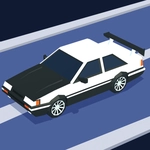
Ace Drift throws you behind the wheel of a car that wants to slide more than it wants to go straight. That's not a flaw—it's the entire point. You're not racing to a finish line; you're hunting for the longest, nastiest drift you can hold without spinning out or slamming a wall. The 3D city blocks look decent enough for a browser game, with tight corners that punish lazy steering. I spent my first few runs oversteering into lampposts, then something clicked: tap the arrow keys in short pulses instead of holding them down. That little rhythm change turned a frustrating slide-fest into a flow state where I was chaining corners back to back.
The setup is bare bones in the best way. Arrow keys left and right steer, up accelerates, down brakes/reverses—though honestly, you'll forget the brake exists. On mobile the touch buttons are big enough to hit without looking. It's one of those games where the mechanics are simple but the skill ceiling is sneaky. Holding a drift near the wall feels like threading a needle at speed. Get too greedy and the rear end snaps around; too cautious and you lose the angle and the score multiplier dies. That tension keeps you restarting.
Ace Drift won't replace your Forza setup, but it's sharp for a quick browser session between classes or during lunch. No download, no menu bloat—just load, grip, and drift. The sound is minimal, but the screech of tires is oddly satisfying. I'd love a track variety update, but for what it is, it scratches the drift itch clean.
👥How to Play Ace Drift
On PC: Arrow keys - move
On Mobile: Tap button - move
✨Game Tips
Pulse the steering: quick taps hold angle better than holding the key down.
Feather the accelerator mid-drift to adjust your line without snapping.
Aim for the outside of a corner before turning in—it sets up longer, higher-scoring drifts.
Don't bother braking. Letting off the gas and steering is usually enough to initiate a slide.
Keep an eye on your drift multiplier; ending a drift early resets the score bonus.
Practice on wide corners first. Tight turns demand precise timing you'll build gradually.
🔧FAQ
Q: Is Ace Drift free to play?
A: Yes, it's completely free in your browser. No hidden paywalls or premium currency.
Q: Do I need to download anything?
A: No download needed. Ace Drift runs on HTML5, so just open the page and play.
Q: Can I play Ace Drift on mobile?
A: Absolutely. On mobile you'll see tap buttons on screen for steering, gas, and drift.
Q: What are the controls on PC?
A: Use arrow keys: up to accelerate, left/right to steer, down to brake or reverse.
Q: Does Ace Drift lag on older computers?
A: It's a lightweight 3D game, so most devices from the last few years handle it smoothly.
Q: Is there a multiplayer mode?
A: No, it's single-player only. You chase your own high score and drift distance.