
Ace Moto Rider
Play Count0
Published2021-01-11
Supported DevicesPC
CategoryAdventure & RPG
Rating★★★★★5.0Rate this game
📝Ace Moto Rider Overview
Feel the wind whip past as you weave through traffic at 200 mph — just don't blink.
💬What is Ace Moto Rider?
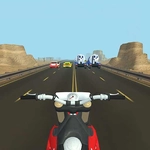
I'm not usually one for motorcycle games, but Ace Moto Rider hooked me within the first two minutes. The 3D view sits right behind the rider, and the sense of speed is genuinely stupid — in the best way. You start off easing through light traffic, then a gap opens, you hit space, and the nitro kicks in. The screen blurs a little, the engine roars, and suddenly that truck in front is way too close. I clipped its mirror once and went flying. Worth it.
The controls are deceptively simple: arrow keys to steer and shift lanes, space for a nitro boost. But simple doesn't mean easy. The traffic patterns get chaotic, cars merge without warning, and the shoulder isn't always a safe escape. You have to read the road two or three seconds ahead — commit to a line, then react when some sedan drifts into your path. I found myself leaning in my chair during near misses, which is either a good sign or a sign I need to go outside more.
What keeps me coming back is the rhythm of it. There's no complicated upgrade tree or story; it's just you, the bike, and a highway that wants to kill you. The nitro meter refills as you ride, so you're always deciding: save it for a tight escape or burn it now to feel like a god. That tension is the whole game, and honestly, it's enough.
👥How to Play Ace Moto Rider
Arrow keys - move, Space - nitro
✨Game Tips
Tap space don't hold it — short nitro bursts give you more control when traffic tightens.
Stick to the middle lane early on; it gives you escape routes both sides.
Look at the gaps between cars, not the cars themselves. Your bike goes where you aim.
Don't panic swerve. Small steering inputs are enough to dodge most vehicles.
Save a nitro charge for when you're boxed in on both sides — it can shoot you through shrinking gaps.
🔧FAQ
Q: Is Ace Moto Rider free to play?
A: Yes, it's completely free in your browser with no paywalls or hidden fees.
Q: Can I play Ace Moto Rider on my phone?
A: The browser version is designed for keyboard controls, but it may work on mobile if you have a Bluetooth keyboard.
Q: Do I need to download anything to play?
A: No downloads needed. It runs right in your web browser as an HTML5 game.
Q: What are the controls for Ace Moto Rider?
A: Use arrow keys to steer and change lanes, and press space for nitro boost.
Q: Does the game save my high score?
A: It may save locally in your browser, but there's no account system or cloud save.
Q: Can I play Ace Moto Rider at school or work?
A: Yes, since it's an unblocked game, you can usually access it on restricted networks.