
Advance Car Parking Game 2020
Play Count0
Published2020-06-25
Supported DevicesPC
CategoryAdventure & RPG
Rating★★★★★5.0Rate this game
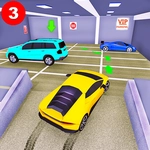
📝Advance Car Parking Game 2020 Overview
Think you can parallel park without a scratch? Advance Car Parking Game 2020 throws you into tight garages with zero room for error.
💬What is Advance Car Parking Game 2020?
Parking games usually feel like bumper cars with extra steps. This one actually makes you respect the steering wheel. Advance Car Parking Game 2020 drops you into a series of realistic parking lots, tight alleys, and multi-story garages. The goal sounds simple: park the car in the marked spot without hitting anything. But the controls are touchy, the spaces are narrow, and the camera angles force you to think like a real driver. You’ll creep forward, check your side mirrors (well, the on-screen equivalent), and nudge the wheel a few degrees at a time. One wrong tap on the gas and you’re kissing a concrete pillar.
I kept getting stuck on a reverse parking spot behind a row of cars. The game gives you a top-down view and a chase cam, but neither helps when you’re three inches from a wall. I found myself muttering “just a little more” while tapping the arrow keys, and then laughing when the bumper gently tapped a cone. That’s the charm: it’s not about speed, it’s about patience. The 2020 in the title might sound dated, but the physics still feel snappy enough to keep you honest.
After a few levels, you’ll start noticing details like how the car’s turning radius changes depending on whether you’re going forward or backward. That’s when it clicks—this isn’t a racing game with a parking mini-game, it’s a spatial reasoning test with a steering wheel. If you’ve ever tried to parallel park in real life and felt your palms sweat, this is the virtual version. It’s not flashy, but it’s weirdly satisfying to nail a perfect park and hear the little success chime.
👥How to Play Advance Car Parking Game 2020
- Play with Keyboard Arrow Keys
✨Game Tips
Use the top-down camera for parallel parking, then switch to chase cam to check your rear bumper.
Tap the arrows instead of holding them; gentle inputs keep you from overcorrecting.
Always straighten your wheels before stopping inside the lined box or you’ll roll out of the spot.
Practice reverse parking in the first few levels until you can do it without touching the cones.
Don’t rush the timer—most levels don’t have one, so take your time aligning.
If you scrape a wall, back up slightly at an angle instead of forcing the wheel.
🔧FAQ
Q: Is Advance Car Parking Game 2020 free to play?
A: Yes, the game runs entirely in your browser and doesn't require any payment or subscription.
Q: Can I play Advance Car Parking Game 2020 on my phone?
A: It works on mobile browsers, but keyboard controls are best on desktop. Touchscreen support may be limited.
Q: Do I need to download anything to start playing?
A: No downloads needed. Just open the game page and it loads instantly as an HTML5 title.
Q: What are the controls for Advance Car Parking Game 2020?
A: Use the arrow keys: up to accelerate, down to reverse, left and right to steer. That's all you need.
Q: How many levels does Advance Car Parking Game 2020 have?
A: The number varies by version, but expect multiple increasingly difficult parking scenarios with different obstacles.
Q: Is this game good for beginners?
A: Yes, the early levels ease you in with simple forward parking. Reverse parking takes practice but isn't unfair.