
Airplane Simulator Island Travel
Play Count0
Published2020-02-14
Supported DevicesPC
CategoryAdventure & RPG
Rating★★★★★5.0Rate this game
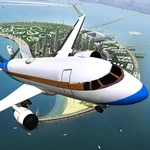
📝Airplane Simulator Island Travel Overview
Grab the controls, throttle up, and glide between tropical islands in this relaxing open-sky flight simulator.
💬What is Airplane Simulator Island Travel?
Taking off is the easy part. Keeping the nose level while you thread between island peaks? That’s where this sim gets its hooks in. You’re handed a small plane, a stretched-out chain of tropical islands, and just enough control inputs to make every landing feel like a self-inflicted dare. Arrow keys or WASD handle your left/right turns and throttle, while the mouse wheel pitches the nose down or up. It’s not a full cockpit sim, but that simplicity is the point — you can jump in and be circling a palm-lined runway within seconds.
The first time I tried to line up on the landing strip I came in too hot, bounced twice, and slid into the ocean. The second attempt I overcorrected and stalled. By the third, I finally understood the rhythm: ease off the throttle early, use the wheel to dip the nose just a touch, and let the plane settle. There’s a real satisfaction when the wheels chirp and the plane rolls to a stop. Some islands have short runways, others are on slopes, and a few are tucked behind hillsides that force you to approach from an awkward angle. You can free-fly and just enjoy the scenery, but the landing challenges are where the game quietly eats your afternoon.
If you want a chill flight toy with enough bite to keep you honest, this is a solid pick. It runs fine in a browser, no setup, and the island setting is pretty enough that I occasionally just flew loops at sunset instead of bothering with objectives. Don’t expect a study-level sim with flaps and fuel mixtures, but do expect that nagging 'one more landing' feeling.
👥How to Play Airplane Simulator Island Travel
Use Arrow Keys or ASWD to take off, landing, left turn and right turn the airplane. Use Mouse Wheel to tilt the the aircraft down and up.
✨Game Tips
Reduce throttle early on final approach instead of trying to brake in the air.
Tap the turn keys rather than holding them — the plane responds faster than you think.
After takeoff, give the mouse wheel a small nudge nose-up to climb steadily.
Look for the windsock near each runway; it shows which way the wind is blowing.
Start with the big island runway before trying the shorter hillside strips.
🔧FAQ
Q: Is Airplane Simulator Island Travel free to play?
A: Yes, it's completely free in your browser with no paywalls or ads that block gameplay.
Q: Do I need to download anything to play?
A: No downloads. It runs directly in your web browser using HTML5, so just click and fly.
Q: Can I play on mobile or tablet?
A: The game is designed for keyboard and mouse, so it works best on a desktop or laptop.
Q: What are the controls?
A: Arrow keys or WASD for throttle and turning, and the mouse wheel to pitch the nose up or down.
Q: Is there a penalty for crashing?
A: You just reset and try again. It's a sandbox flight sim, so crashing is part of learning.
Q: Does the game need an internet connection?
A: Yes, you need an active connection to load the game from the site, though it runs smoothly on most connections.