
All Way Down
Play Count0
Published2023-09-18
Supported DevicesPC
CategoryAdventure & RPG
Rating★★★★★5.0Rate this game
📝All Way Down Overview
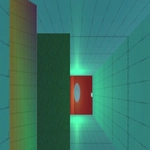
One wrong step sends you tumbling down a 3D tower of blocks. Do you have the nerve to descend All Way Down?
💬What is All Way Down?
You're dropped onto a floating 3D structure and the only goal is to reach the bottom. WASD moves your block, and that's it. Sounds easy, right? Then you realize one overcorrection sends you off the edge and back to the start. I lost count of how many times I tapped R in the first five minutes.
The movement feels weighty but responsive. Tap keys lightly to nudge yourself along narrow beams, then press W with purpose when you hit a straight drop. The camera swings around at the worst possible moments—sometimes you just have to commit and hope there's a platform below. Cracks in the blocks hint at which parts might crumble, but trusting them is a gamble. I spent ten minutes stuck on one section where the only way forward was a curved ramp that vanished behind the camera.
It's the kind of game that punishes greed. Rush a section and you'll overshoot the landing. Hesitate and the block you're standing on rotates or falls away. I kept coming back to shave seconds off my descent, even after swearing I was done. If you like 3D platformers that make your palms sweat, this one's a gem.
👥How to Play All Way Down
A+D+S+W : for move
R : to restart the level
✨Game Tips
Tap the movement keys instead of holding them to make micro-adjustments on narrow ledges.
Use R without hesitation—restarting is faster than trying to recover from a bad fall.
Look for visual cues like cracks or darker blocks; they often mark a risky but faster route down.
Don't fight the camera. If you can't see the drop, ease forward slowly and listen for audio hints.
Practice the first three levels until you can clear them without stopping; the muscle memory helps later.
If a section feels impossible, try approaching from a different angle or speed. Momentum matters.
🔧FAQ
Q: Is All Way Down free to play?
A: Yes, you can play it for free in your browser with no hidden charges.
Q: Can I play All Way Down on mobile?
A: The game is designed for keyboard controls, so desktop is recommended. Mobile support is limited.
Q: Do I need to download or install anything?
A: No downloads needed. It runs directly in your browser using HTML5.
Q: What are the controls for moving?
A: Use A and D to move left/right, W and S to move forward/backward, and R to restart the level.
Q: How do I restart a level quickly?
A: Press R at any time to reset the current level and try again from the top.
Q: Does All Way Down save my progress?
A: Progress is not saved between sessions, but the game is short enough to replay from the start.