
Alphabet for Child
Play Count0
Published2022-01-05
Supported DevicesPC
CategoryKids & Educational
Rating★★★★★5.0Rate this game
📝Alphabet for Child Overview
Little fingers, big letters — here's a bright little corner where every click turns a letter into a friendly surprise.
💬What is Alphabet for Child?
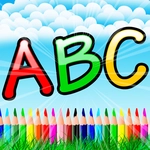
The first time I opened Alphabet for Child, I expected another flimsy flashcard clicker. Instead, I found a surprisingly calm little playground for early readers. The screen stays uncluttered — just a row of rounded letters, sometimes with a matching picture that wiggles when you select the right one. It feels designed for kid-sized attention spans, not parents trying to keep a browser tab quiet. You move the mouse, click a letter, and the game responds with a clear voiceover or a little animation. That's it. And honestly? That's exactly what a two-year-old needs.
What kept me clicking around was how forgiving it is. There's no timer, no penalty, no 'game over' sting. If a child clicks the wrong letter, nothing scolds them — they just get another chance to find the right one. The color palette is soft without being washed out, and the audio isn't the screechy kind that makes you lunge for the volume button. It's more like a patient preschool teacher sitting beside you, repeating letter names until they stick.
If you've got a kid who's just starting to recognize letters, this is a gentle entry point. You won't find levels or achievements, and that's fine. The whole point is familiarity — A is for apple, B is for ball, over and over until the sound and shape connect. I'd recommend sitting with your child for the first few minutes, because the mouse control is simple enough for tiny hands but still benefits from a grown-up hovering nearby. After that, they'll likely click away happily while you drink your coffee.
👥How to Play Alphabet for Child
Use your mouse to play.
✨Game Tips
Let your child take the lead — hovering the mouse over a letter often previews its sound before clicking.
Keep the volume at a comfortable level; the voice prompts are clear but can get repetitive after 15 minutes.
Match the on-screen pictures to real objects around the house to reinforce what they learn.
No rush, no reset button needed — wrong clicks simply don't count, so encourage trial and error.
If your mouse hand is too small for a standard mouse, switch to a touchscreen or trackpad for easier grabbing.
Play in short bursts: 10 minutes a day beats an hour of forced drilling.
🔧FAQ
Q: Is Alphabet for Child free to play?
A: Yes, the game is completely free in your browser — no payment or login needed.
Q: Do I need to download anything to start playing?
A: No download is required. It runs directly in your web browser as an HTML5 game.
Q: Can I play Alphabet for Child on a mobile device?
A: Yes, it works on most phones and tablets, though a mouse or touchscreen makes clicking the letters easier.
Q: What age group is Alphabet for Child designed for?
A: It's best for toddlers and preschoolers, roughly ages 2 to 5, who are starting to recognize letters.
Q: Does the game include both uppercase and lowercase letters?
A: The focus is on uppercase letters, but some versions may show lowercase examples as your child progresses.
Q: Is there any violence or difficult content in Alphabet for Child?
A: No, the game is entirely child-friendly with calm visuals, gentle sounds, and no penalties or scary moments.