
Aquapark Shark
Play Count0
Published2023-03-03
Supported DevicesPC + Mobile
CategoryAdventure & RPG
Rating★★★★★5.0Rate this game
📝Aquapark Shark Overview
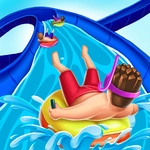
Slip into the fins of a hungry shark and tear through a water park's twisting slides, dodging walls and grabbing every fish in sight.
💬What is Aquapark Shark?
I'll admit, I didn't expect much from a game about a shark loose in a water park. But after my fifth attempt to thread the needle through a spiraling tube without slamming into the curved walls, I was hooked. The premise is dead simple: you're a shark barreling through flumes and pools, and the only thing you control is when to accelerate and when to brake. That one-button mechanic sounds easy until you're flying down a narrow chute at full tilt and realize you should have let go of the mouse a second sooner. The water resistance feels weirdly real, and the shark's momentum carries through every turn, so you learn to brake in anticipation rather than reaction.
What keeps me coming back is the rhythm of it. You'll coast through a lazy river one moment, then suddenly you're in a tight corkscrew where even a half-second of extra throttle sends you grinding against fiberglass. There are little collectibles scattered around—fish, shiny trinkets, maybe a terrified inner tube or two—and grabbing them without losing speed becomes a satisfying minigame in itself. The camera follows right behind your dorsal fin, which gives a great sense of speed, especially when you burst out of a closed tunnel into an open pool and the sunlight hits the water.
It's not a long game, and there's no real story. Just you, a water park, and a shark that refuses to slow down unless you tell it to. I'd say it's perfect for a quick break between classes or when you need something that demands just enough focus to be engaging without melting your brain. Just don't blame me if you start hearing the splash effects in your sleep.
👥How to Play Aquapark Shark
PC controls:
Use the mouse left click to accelerate and release to brake
Mobile and Tablet controls:
Touch the screen to accelerate and brake
✨Game Tips
Release the mouse button or lift your finger earlier than you think on sharp turns—momentum will slam you into the wall if you wait too long.
On mobile, use short taps instead of holding the screen down; quick bursts give you much finer control over the shark's speed.
Watch the water current patterns and arrow hints on the walls, they usually telegraph which way the next tube bends.
If you keep dying at the same curve, try braking hard before entering the turn rather than trying to steer through it.
Collect the scattered fish and coins even if it means slowing down a little—they often mark the safest line through a section.
Don't be afraid to come to a near-stop in the wider pools to scout the next flume entrance; there's no time limit.
🔧FAQ
Q: Is Aquapark Shark free to play?
A: Yes, it's completely free in your browser with no hidden fees or paywalls.
Q: Can I play Aquapark Shark on mobile?
A: Yes, the touch controls work on phones and tablets. Just tap and hold to accelerate, release to brake.
Q: Do I need to download anything to play Aquapark Shark?
A: No downloads or installs needed. It runs directly in your web browser as an HTML5 game.
Q: Is Aquapark Shark unblocked at school?
A: Many school networks allow browser games like this one, but it depends on your specific school's firewall settings.
Q: What are the controls for Aquapark Shark?
A: On PC, left-click and hold to accelerate, release to brake. On mobile, touch and hold to accelerate, release to brake.
Q: Does Aquapark Shark have multiple levels or just one endless run?
A: The game features a continuous water park course with changing slides and pools, so each run feels a bit different as you progress.