
Army Command
Play Count0
Published2022-10-11
Supported DevicesPC + Mobile
CategoryAdventure & RPG
Rating★★★★★5.0Rate this game
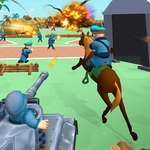
📝Army Command Overview
Hold the line, call in airstrikes, and outmaneuver enemy forces across a fully 3D battlefield where every command decides who lives and who dies.
💬What is Army Command?
The first time I ordered a mortar strike and watched the terrain deform, I knew this wasn't your average browser strategy game. Army Command puts you in charge of a modern battlefield, and it doesn't hold your hand. You get a squad of soldiers, some vehicles, and a top-down view you can spin, zoom, and tilt to read the map. The game is real-time, so hesitation gets people killed. I lost three riflemen on my first capture point because I sent them straight up the middle—classic mistake. The enemy AI actually flanks, uses cover, and calls in its own support if you give it time.
The controls are mouse-driven: click to select, right-click to move, and a small ability bar lets you call artillery, airstrikes, or recon drones. What surprised me was how much the terrain matters. A hill doesn't just look nice; it blocks line of sight, so a sniper on a ridge can lock down an entire valley. I found myself rotating the camera constantly, checking blind spots, and using the pause button (yes, there's a pause) to plan my next move. There's no base building—you get what you start with plus occasional reinforcements. It's lean and tense.
A real "aha" moment came when I realized I could queue orders. Hold shift and click a path, and your troops will move from point to point, letting you set up a pincer while you micro the heavy gunner. The sound design is sparse but effective: distant artillery thumps, rifle cracks, and the quiet beep of a recon drone marking targets. It won't replace a full military sim, but for a free browser game, Army Command punches way above its weight. I kept coming back just to try different loadouts and see if I could win without losing a single soldier.
👥How to Play Army Command
Mouse
✨Game Tips
Use the terrain: hills block line of sight, so set up ambushes instead of charging across open ground.
Don't blow your artillery early—save it for when the enemy clusters around a capture point.
Rotate the camera constantly; the default angle hides movement in valleys and behind buildings.
Focus fire with multiple squads on one target to break armor quickly.
Call in a recon drone before advancing blind—it's cheap and saves lives.
Hold shift when ordering moves to queue a multi-point path, freeing you up to manage other units.
🔧FAQ
Q: Is Army Command free to play?
A: Yes, it's completely free on the unblocked games site, no hidden fees.
Q: Can I play Army Command on mobile?
A: The game works on mobile browsers, but mouse controls give you much better precision.
Q: Do I need to download anything to play?
A: No downloads needed—it runs straight in your browser as an HTML5 game.
Q: What are the controls for Army Command?
A: Use the mouse: left-click to select units, right-click to move, and use the on-screen buttons for abilities.
Q: Does Army Command require a fast computer?
A: A mid-range PC or laptop handles it fine; just close other heavy tabs if it lags.
Q: Can I save my progress in Army Command?
A: The game starts fresh each session, so there's no save system—perfect for quick battles.