
Aroka
Play Count0
Published2023-07-04
Supported DevicesPC + Mobile
CategoryAdventure & RPG
Rating★★★★★5.0Rate this game
📝Aroka Overview
A tiny hero, a double jump, and a world that punishes hesitation — Aroka turns a simple platformer into a lesson in timing you won't want to skip.
💬What is Aroka?
You'll guide a small, determined character through a series of side-scrolling levels packed with gaps, spikes, and ledges that feel just out of reach. Movement is tight: left and right with WASD or arrows, a single jump, then that crucial second press for the double jump. It sounds basic, but the game knows exactly how to make you earn every inch. The first time I cleared a wide chasm by hitting the second jump a beat later than felt natural, I realized the game wasn't about mashing — it was about reading the height and adjusting on the fly.
Aroka's charm lies in how the double jump works. You can trigger the extra hop almost immediately for a higher first jump, or wait until the peak of your arc to extend the distance. That nuance matters more than you'd think. Some platforms are positioned so that only a delayed second jump gets you there; others require a quick double tap to avoid an overhead obstacle. I kept dying on one section because I treated the double jump like a panic button, when really it's a deliberate tool. Once that clicked, the frustration turned into a steady rhythm of clean landings.
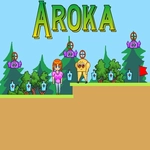
The levels don't waste your time with tutorials or hand-holding. You're dropped in, the obstacles appear, and you learn by falling. Visually it's simple but readable — no clutter, just clear platforms and hazards. The retro pixel look gives it that classic adventure vibe without pretending to be something it's not. If you enjoy games like Celeste or old-school precision platformers, Aroka scratches that same itch in shorter bursts. It's not the longest game, but every screen feels like a small puzzle of momentum and timing. Bring patience, and don't be surprised if you mutter "one more try" at 1 a.m.
👥How to Play Aroka
Use "WASD" or "Arrow" keys for the player's movement.
Use "W" or "Up" arrow key twice for double jump.
✨Game Tips
Practice the delayed second jump — wait until the top of your arc before pressing W or Up again to cover more horizontal distance.
Use short quick double taps when you need to clear a high wall with a low ceiling above you.
Don't hold forward while airborne over spikes; release movement briefly to control your landing spot.
Switch between WASD and arrow keys every few minutes if your fingers cramp — the game reads both equally.
Watch the background for subtle visual markers, like cracks or color shifts, that hint at hidden platforms.
If a jump seems impossible, try approaching from the very edge of the platform instead of the center.
🔧FAQ
Q: Is Aroka free to play?
A: Yes, Aroka is completely free and runs directly in your browser with no hidden paywalls.
Q: Do I need to download anything?
A: No downloads. Aroka loads instantly as an HTML5 game, so just open the page and play.
Q: Can I play Aroka on mobile?
A: The game is best with a keyboard, but it also works on touchscreens with on-screen controls if available.
Q: What are the controls for Aroka?
A: Use WASD or Arrow keys to move left and right. Press W or Up arrow twice in a row to double jump.
Q: Is Aroka safe for school or work networks?
A: Yes, the unblocked version runs on standard web protocols, so it usually bypasses filters without any issues.
Q: Does Aroka save my progress?
A: Progress may reset when you close the tab, but the game is short enough to replay without losing much.