
Attack on Titans
Play Count0
Published2021-09-20
Supported DevicesPC + Mobile
CategoryAdventure & RPG
Rating★★★★★5.0Rate this game
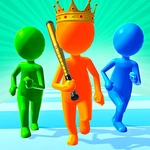
📝Attack on Titans Overview
Step into a scout's boots, dodge a Titan's swinging arm, and answer with a bone-crunching punch in this 3D survival brawler.
💬What is Attack on Titans?
Attack on Titans drops you into a ruined city where every shadow hides a hungry giant. You move by swiping left and right — quick, jerky motions that feel desperate, exactly like they should. Tap to throw a punch. That's it. No swords, no ODM gear, just your fists against things that could swallow you whole. The first time a 15-meter class swung at me, I dodged so hard my phone almost flew out of my hand. But then I landed three fast jabs right in its shin, and it stumbled back. That moment — recovering from a near miss to land your own hit — is what keeps me coming back.
The Titans come in waves, each one faster and angrier than the last. Sometimes two or three close in at once, and you have to pick which one to hit while sidestepping the others. It's less about combos and more about timing: wait for the telltale wind-up, dodge at the last second, then punish. I learned to bait their attacks by inching forward, then backing off — risky, but so satisfying when it works. The game doesn't hold your hand. No health bar regen between waves, no checkpoints. One bad swipe and you're lunch.
What surprised me most is how physical it feels for a browser game. The screen shakes when a Titan slams the ground, and the hit-stop on a clean punch gives your tired thumb a little dopamine kick. It's rough around the edges — textures are basic and the camera can get confused near walls — but that honestly adds to the scrappy, desperate vibe. If you want a quick adrenaline rush without loading up a heavy action RPG, this scratches that itch perfectly.
👥How to Play Attack on Titans
Swipe left and right to move and tap to punch
✨Game Tips
Wait for the Titan's wind-up, then swipe to dodge at the last second — you'll get a bigger opening to counter.
Don't stand in one spot after punching; keep moving sideways to avoid getting grabbed from behind.
Target one Titan at a time when multiple appear — focus fire breaks them faster than spreading hits.
Use short quick swipes instead of long ones; the movement is snappy and easier to correct mid-dodge.
Bait a swing by stepping just into range, then back off immediately — repeat until the Titan misses and leaves its side exposed.
If a Titan gets too close, mash tap to throw quick jabs rather than waiting for a perfect window.
🔧FAQ
Q: Is Attack on Titans free to play?
A: Yes, it's completely free in your browser.
Q: Can I play Attack on Titans on mobile?
A: Yes, the touch controls work well on phones and tablets.
Q: Do I need to download anything to play Attack on Titans?
A: No download needed — just open the page and start playing.
Q: What are the controls in Attack on Titans?
A: Swipe left or right to move, and tap the screen to punch.
Q: Is Attack on Titans unblocked at school?
A: It's hosted on unblocked game sites, so most school networks allow it.
Q: Does Attack on Titans have multiple levels or an endless mode?
A: It uses wave-based survival — see how many Titan waves you can outlast.