
ATV Stunts
Play Count0
Published2021-11-22
Supported DevicesPC
CategoryAdventure & RPG
Rating★★★★★5.0Rate this game
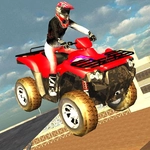
📝ATV Stunts Overview
Grab a quad, hit the ramps, and see how long you can hold a backflip before physics reminds you who's boss.
💬What is ATV Stunts?
I lost a solid twenty minutes just launching ATVs off ramps and trying to nail a clean 360. ATV Stunts is a sandbox-style 3D stunt driving game where you pick an ATV, roam an open map filled with jumps, loops, and obstacles, and do your best not to end up as a crumpled heap. The physics are forgiving enough to keep you trying, but not so floaty that every flip feels meaningless — you actually have to lean into the rotation and time your throttle.
The first time I used the slow-motion button (T) mid-air, I realized the game is less about pure speed and more about mid-air control. You can tap F to repair your ATV after a nasty landing, which means you're never punished too hard for experimentation. Swapping ATVs with Tab keeps things fresh; each one handles a bit differently, and some are better for big air while others stick to the ground for precision runs.
You'll use WASD or arrows to drive, C to switch camera angles, and Enter to reset if you get stuck. There's even a restart scene option for when you just want to reset the whole stunt park. It's the kind of game you'll fire up during a break, tell yourself you'll play for five minutes, and then suddenly it's been an hour. No points, no timers — just you, a quad, and gravity.
👥How to Play ATV Stunts
Wasd, arrows - Drive
C - Change camera
Tab - next atv
Enter - restart atv
R, Esc - restart scene
T - slow time
F - repair atv
✨Game Tips
• Tap T right before you leave the ramp to enter slow motion — it gives you more time to rotate for flips and check your landing.
• Use F liberally after rough landings; repairing the ATV keeps your wheels straight for the next run.
• Experiment with different ATVs via Tab. Some are lighter and flip faster, others are heavier but land more stably.
• The camera (C) can change your angle mid-air. Switching to a side view often helps you judge rotation speed better.
• If you're about to crash, hit Enter to reset the ATV instead of waiting for the physics to settle — it saves time.
• Hold the throttle steady on loops; braking at the top will almost always drop you off the side.
🔧FAQ
Q: Is ATV Stunts free to play?
A: Yes, it's completely free in your browser with no hidden costs or in-game purchases.
Q: Can I play ATV Stunts on my phone?
A: The game runs in a browser, but it's best on a desktop or laptop with a keyboard. Touch controls aren't optimized.
Q: Do I need to download anything to play ATV Stunts?
A: No downloads or plugins. Just open the page and the game loads as HTML5.
Q: What are the basic controls for ATV Stunts?
A: Use WASD or arrow keys to drive, C to change camera, Tab to switch ATVs, Enter to reset, T for slow motion, F to repair.
Q: Is ATV Stunts unblocked for school or work?
A: If the site is unblocked, the game runs fine. No install is needed, so it often bypasses restrictions.
Q: Why does my ATV wobble after a big jump?
A: The suspension might be damaged. Press F to repair the ATV and straighten out the wheels.