
Baby Hazel Learns Shapes
Play Count0
Published2020-02-03
Supported DevicesPC + Mobile
CategoryKids & Educational
Rating★★★★★5.0Rate this game
📝Baby Hazel Learns Shapes Overview
Toddler energy meets shape sorting — can you keep up with Baby Hazel as she points, giggles, and matches every circle, square, and triangle?
💬What is Baby Hazel Learns Shapes?
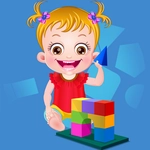
Baby Hazel has this way of making the most basic toddler tasks feel weirdly delightful. In Baby Hazel Learns Shapes, you're basically her shape-hunting sidekick. She'll spot a red circle on a shelf or a blue square tucked under a toy box, and it's on you to click the match before she loses interest. The whole thing runs on simple tap-or-click controls, so even the youngest players can jump in without a tutorial. I caught myself smiling when Hazel clapped after I dragged a star block into its outline — it's that kind of gentle, low-stakes fun.
The game cycles through a few mini-activities. Sometimes you're sorting blocks into matching holes; other times you're helping Hazel pick out a shape from a lineup of toys. It never feels like a quiz. Instead, every mistake is framed as 'let's try again' rather than a fail state, which is exactly what you want for a preschool audience. The colors pop, the music loops cheerfully without being grating, and the little voice clips of Hazel giggling are honestly contagious. My only gripe? The pace can feel a little slow if you're an adult, but that's the point — it's not built for adults.
As a parent or older sibling, you can hand this off without worrying about ads, gore, or complex menus. It's one of those unblocked games that quietly teaches shape recognition while the kid thinks they're just playing. I'd recommend sticking around for the first minute to show which objects are clickable, then stepping back. Five minutes later, you'll probably hear 'circle!' shouted from the couch. That's the win.
👥How to Play Baby Hazel Learns Shapes
Click or tap to play the game.
✨Game Tips
Let Baby Hazel point at shapes for a few seconds before you click — it often shows the answer.
Keep the sound on; the happy chime tells you instantly if you matched correctly.
Replay the shape-sorting mini-game alone if your little one wants to practice colors too.
On mobile, tap lightly because the hitboxes are generous but small fingers may need zoom.
Use the puzzle levels as a quick break — they're low pressure and repeatable.
If Hazel looks confused, click random objects around the room; some are interactive surprises.
🔧FAQ
Q: Is Baby Hazel Learns Shapes free?
A: Yes, it's completely free to play in any modern browser with no download required.
Q: Can I play Baby Hazel Learns Shapes on mobile?
A: Yes, the touch controls work on phones and tablets, but a larger screen makes shape matching easier.
Q: Do I need to download anything to play?
A: No, it runs instantly as an HTML5 game — just click and play.
Q: What age group is Baby Hazel Learns Shapes for?
A: It's designed for toddlers and preschoolers, roughly ages 2 to 5.
Q: How long does one game session take?
A: A full playthrough usually takes 5 to 10 minutes, perfect for short attention spans.
Q: Does Baby Hazel Learns Shapes teach shapes only?
A: It also reinforces hand-eye coordination and basic color recognition through repeated matching.