
Baby Panda Photo Studio
Play Count0
Published2022-11-23
Supported DevicesPC + Mobile
CategoryKids & Educational
Rating★★★★★5.0Rate this game
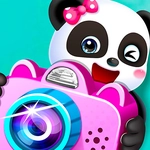
📝Baby Panda Photo Studio Overview
Grab the camera and help a fluffy panda turn a messy studio into a snapshot paradise—every animal leaves with a grin.
💬What is Baby Panda Photo Studio?
I booted this up expecting a basic dress-up minigame, but the photo studio loop actually got me fiddling with frames and filters longer than I'd like to admit. You start with a bare room, a camera, and a line of animal customers who want their pictures taken. Each one has a little request—maybe a beach backdrop, maybe a silly hat. You drag props onto the set, choose a background, and then you hit the shutter. Having no fail state is what makes it so chill; you can spend minutes rearranging things until the layout feels just right.
What surprised me is how much the small reactions sell it. When you drop a rocket ship behind a bunny, the panda claps and the bunny does a little bounce. It's not complicated, but that's the point. I kept trying out odd prop combinations just to see how the animals would react—a cactus next to a penguin, a crown on a cow. Nothing breaks, everything is adorable. The editing step after the photo is just as fun: stickers, frames, and color filters let you turn a simple snapshot into something silly or pretty.
Parents looking for a safe, no-pressure game for young kids will find this hits the mark. It's all about creativity and following simple visual prompts. No reading needed, no timers, no score. Just click or tap, watch the panda cheer, and make a mess of cute pictures. Honest take: even grumpy older siblings will sneak a round or two.
👥How to Play Baby Panda Photo Studio
Mouse or tap to play.
✨Game Tips
Check what each animal asks for before you start snapping—some want specific props or colors, and matching that earns extra happy reactions.
Don't rush the photo; wait until the customer smiles or does a little pose. The timing changes the final picture.
Use stickers to cover up any awkward empty spots in the frame, but don't overload them—negative space makes photos pop.
Try backgrounds that aren't requested now and then. Sometimes the animals react in surprising ways to unexpected settings.
If a prop doesn't fit the composition, undo and rearrange instead of piling on more. Balanced layouts get more giggles.
After taking the picture, experiment with the filters before adding stickers—the right color tone can make a messy scene look polished.
🔧FAQ
Q: Is Baby Panda Photo Studio free?
A: Yes, it's completely free to play in your browser with no hidden paywalls.
Q: Can I play it on mobile?
A: Yes, the game works on touchscreens. Just tap to drag props and snap photos.
Q: Do I need to download anything?
A: No downloads needed. It runs right in your web browser using HTML5.
Q: What age group is this game best for?
A: It's ideal for young kids, around ages 3–6, who enjoy creative and caring play.
Q: How do I take a photo after setting up the scene?
A: Click or tap the camera button on screen once your props and background are in place.
Q: Are there any time limits or scores?
A: No, there's no timer or scoring. You can take as long as you like—it's a relaxed sandbox experience.