
Baby Smartphone
Play Count0
Published2024-11-07
Supported DevicesPC + Mobile
CategoryKids & Educational
Rating★★★★★5.0Rate this game
📝Baby Smartphone Overview
Tap the bright buttons and watch this toddler-friendly phone light up with silly sounds, bouncing animals, and hidden little surprises.
💬What is Baby Smartphone?
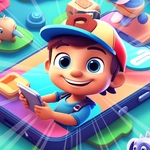
I clicked on Baby Smartphone expecting five seconds of toddler bait, then stayed for ten minutes just poking every button. It's a chunky, cartoon phone that fills the screen with bright icons—numbers, music notes, a sleepy cat, a quacking duck, a little car that beeps. Every tap is instant. No lag, no menus, no 'watch this ad first.' You press the cow, it moos and wobbles. You press the piano, it plinks out a note. The whole thing feels like one of those plastic toy phones from a waiting room, except the batteries never die.
There's no score, no timer, no way to lose. That's exactly why it works for the little crowd. A two-year-old can mash the screen and feel like they're controlling something real. A four-year-old might start connecting the dots—numbers light up in order, animal names pop up, colors repeat on cue. I noticed the duck sometimes hides behind a different button if you tap around, which is a neat little surprise. The visuals are rounded and soft, nothing scary, no flashing lights that feel aggressive. Just cozy, pastel chaos.
For parents or older siblings, it's a quick way to hand over the mouse or tablet without worrying about pop-ups or weird links. The game loads in a browser tab, works with touch, and resets instantly if you refresh. Honestly, it's more of a digital busy board than a traditional game—and for the right age, that's a compliment.
👥How to Play Baby Smartphone
Mouse click or tap to play
✨Game Tips
Let them go wild—every tap does something safe, so there's no wrong button.
Tap the same animal a few times in a row; it often cycles through different reactions.
Switch to full screen before handing it over so tiny fingers don't hit browser tabs.
Use a touchscreen if you can; the whole thing feels snappier than with a mouse.
If a child gets stuck on one sound, just roll with it—repetition is how they learn.
Keep the volume at a friendly level, some animal noises come through louder than expected.
🔧FAQ
Q: Is Baby Smartphone free?
A: Yes, it's completely free to play in your browser with no paywall or premium unlocks.
Q: Can I play Baby Smartphone on a phone or tablet?
A: Absolutely. It works with touchscreen taps and fits mobile screens without extra setup.
Q: Do I need to download anything?
A: No download or installation needed. Just open the page and start tapping.
Q: What age is Baby Smartphone best for?
A: It's aimed at toddlers and preschoolers, roughly ages 2 to 5, but anyone can tinker with it.
Q: Does Baby Smartphone have ads or pop-ups?
A: The unblocked version is pretty clean; you might see a banner, but nothing interrupts play.
Q: Can I play without an internet connection?
A: Once loaded, most parts keep working, but keep the tab open to avoid needing a refresh.