
Beauty Salon - Back-to-School
Play Count0
Published2022-11-14
Supported DevicesPC + Mobile
CategoryKids & Educational
Rating★★★★★5.0Rate this game
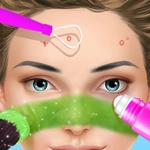
📝Beauty Salon - Back-to-School Overview
Scissors, blow-dryer, glitter—ready to give these students a first-day glow-up?
💬What is Beauty Salon - Back-to-School?
Right off the bat, you're dropped into a bright little salon with a line of students waiting. Each one has a specific request—some want braids, others want pink streaks, and a few just need their overgrown bangs tamed before homeroom. The mouse controls everything, so you'll drag the shampoo bottle, click the scissors, and swipe the hair dryer like you actually know what you're doing. I accidentally gave one girl a choppy fringe and she looked like she'd seen a ghost, which is exactly the kind of low-stakes pressure that makes this fun.
You're not just cutting hair, though. After the salon chair, there's a makeup station where you pick eyeshadow shades, blush, and lip gloss. The game doesn't punish you for mixing wild colors, but the final result gets a star rating, so you'll want to match the request. I kept coming back to unlock new hair accessories—glitter clips, headbands, tiny bows. It's the kind of thing that sounds simple but eats an hour if you're not careful.
Kids will love it because it's cute and forgiving, but there's enough interaction to keep older players clicking too. No timers, no fail states, just a chill loop of washing, styling, and accessorizing until every student walks out looking ready for their class photo. Whether you're avoiding homework or just want something cozy, it's a solid pick.
👥How to Play Beauty Salon - Back-to-School
Use Mouse To Play and Keyboard
✨Game Tips
• Start with the shampoo station first—it preps the hair so the scissors don't leave ragged edges.
• Watch the request bubbles above each student's head; matching their favorite color adds bonus stars.
• Use the blow-dryer after every cut to clear loose strands before you move to makeup.
• Don't be afraid to experiment with eyeliner wings—undo is just a click away if it looks wonky.
• Check the accessories tray after each makeover; new items unlock as you earn stars.
• If a client looks unhappy, redo the hair length before changing makeup—it's usually the root issue.
🔧FAQ
Q: Is Beauty Salon - Back-to-School free?
A: Yes, it's completely free to play in your browser with no hidden costs.
Q: Can I play Beauty Salon - Back-to-School on mobile?
A: It works on mobile browsers, but a mouse gives you much more precise control.
Q: Do I need to download anything?
A: No downloads needed. It runs instantly as an HTML5 game.
Q: Is Beauty Salon - Back-to-School suitable for young kids?
A: Absolutely—it's non-violent, forgiving, and designed with a cute, kid-friendly look.
Q: Can I use the keyboard?
A: The game mentions keyboard support, but most actions are easier with the mouse.
Q: How do I restart a makeover if I mess up?
A: Usually you can click the undo button or just redo that step before moving to the next station.