
Ben 10 Coloring
Play Count0
Published2022-04-26
Supported DevicesPC + Mobile
CategoryKids & Educational
Rating★★★★★5.0Rate this game
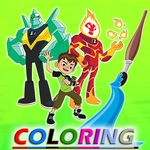
📝Ben 10 Coloring Overview
Grab your digital crayons and give Heatblast a fiery new look, or turn Four Arms into a pastel powerhouse—the coloring book is wide open.
💬What is Ben 10 Coloring?
I'll be honest—I wasn't expecting much from a Ben 10 coloring game, but the moment I tapped my first color onto XLR8's face, I got sucked in. It's the kind of low-pressure creative thing you open for five minutes and then realize an hour's gone. The controls are just tap to fill, but the palette has plenty of shades, and you can zoom in to hit the small spots without coloring outside the lines. I kept messing up Diamondhead's crystal spikes until I figured out the eraser works instantly. There are a bunch of aliens to pick from—Heatblast, Wildmutt, Upgrade, and a few more—each with line art that's detailed enough to feel like a real coloring book page.
What makes it work is that there's no timer or score. You're not racing anyone, so you can just zone out and experiment. I made a pink and green Four Arms that looked absurd, and that's exactly the point. The game doesn't save your masterpieces automatically, so if you want to keep one, grab a screenshot before you close the tab. That's a minor annoyance, but it forced me to actually care about each color choice instead of mindlessly tapping.
If you've got a kid who loves Ben 10, this is a safe bet for quiet time—but honestly, I'd play it again on a lazy afternoon. It's not complex, it's not flashy, and that's the charm. Sometimes you just want to color a cartoon alien without any pressure.
👥How to Play Ben 10 Coloring
Tap the screen to play
✨Game Tips
Use the zoom feature for tight spots like Omnitrix dials and alien eyes.
Tap the same color twice to fill adjacent areas quickly without hunting for the bucket tool.
Don't be afraid to mix weird colors—nobody's grading this, and a purple Wildmutt is hilarious.
The eraser is instant, so fix mistakes without starting the whole page over.
Switch between aliens to keep the session fresh; each one has different line thickness and detail levels.
If you're on a touchscreen, pinch to zoom works better than the on-screen buttons.
🔧FAQ
Q: Is Ben 10 Coloring free to play?
A: Yes, it's completely free in your browser with no paywalls or hidden fees.
Q: Can I play Ben 10 Coloring on my phone?
A: Absolutely. It works on any device with a modern browser and touch support.
Q: Do I need to download anything to play Ben 10 Coloring?
A: No downloads. Just open the page, wait for it to load, and start coloring.
Q: How many aliens can I color in Ben 10 Coloring?
A: There are around 8 to 10 classic aliens, including Heatblast, Four Arms, and XLR8.
Q: Does Ben 10 Coloring save my finished artwork?
A: It doesn't save automatically. Take a screenshot if you want to keep your colored alien.
Q: Is Ben 10 Coloring good for young kids?
A: Yes, the tap-to-fill controls are easy for ages 4 and up, and there's no time pressure.