
Block Craft
Play Count0
Published2020-11-04
Supported DevicesPC
CategoryAdventure & RPG
Rating★★★★★5.0Rate this game
📝Block Craft Overview
Grab a pickaxe, stack blocks, and carve out a world that's entirely yours in Block Craft.
💬What is Block Craft?
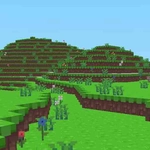
I wasn't sure what to expect from a browser-based block builder, but Block Craft nails the basics. You spawn on a patch of grass, the sky a flat blue, and the only rule is: change it. Right-click slaps down a cube of whatever you've got selected—dirt, stone, wood, maybe glass if you've been rummaging. Left-click shatters a block with a satisfying snap. WASD slides you across the terrain, which is simple but gets the job done.
The inventory system is minimal: hit E and you get a grid of blocks, no crafting recipes or menus to wrestle with. That's actually a relief. I spent most of my first ten minutes stacking a tower just to see how high I could go, then knocking out the base and watching the whole thing crumble. The destruction feels chunky and satisfying, like popping bubble wrap made of voxels. If you're after a survival mode with creepers and hunger bars, this isn't it. But for pure creative sandbox energy, it scratches the itch.
Block Craft won't replace the big-name sandbox games, but it doesn't need to. It's the kind of thing you open for five minutes, then realize an hour vanished because you were building a staircase to nowhere. Runs smooth in a browser, no download, no account. I'd recommend starting with a simple shelter, then getting weird—giant cube animals, floating islands, whatever. Just keep an eye on the block limit if there is one; I didn't hit it, but some builds can get ambitious.
👥How to Play Block Craft
*W,A,S,D* - Movement
*Right Click* - Build
*Left Click* - Break
*e* - Inventory
*ESC* - Close menus etc...
✨Game Tips
Break the bottom block of a tall column to collapse the whole thing—it's faster than mining block by block.
Open your inventory early and memorize where the glass and wood are; scrolling through mid-build slows you down.
Build a staircase by placing blocks diagonally upward, not straight up, if you want to get on top of things.
Use the ground as your grid: align blocks with existing edges to keep your structures neat.
If you get stuck in a pit, look down and right-click to place a block beneath your feet—instant step stool.
🔧FAQ
Q: Is Block Craft free to play?
A: Yes, Block Craft is completely free in your browser. No paywalls or premium blocks.
Q: Can I play Block Craft on mobile?
A: It works best with a keyboard and mouse. Touchscreen support may be limited, so desktop is recommended.
Q: Do I need to download anything to play?
A: No downloads needed. It runs directly in your browser as an HTML5 game.
Q: What are the basic controls in Block Craft?
A: Use WASD to move, right-click to build, left-click to break blocks, and E to open your inventory.
Q: Does Block Craft have a survival or enemies mode?
A: The core mode is creative building. There are no creepers or hunger bars—just freeform construction.
Q: Can I save my Block Craft world?
A: Saving depends on the browser version. Some versions may not keep your builds after you close the tab.