
Block Craft 3d 2
Play Count0
Published2024-07-15
Supported DevicesPC + Mobile
CategoryAdventure & RPG
Rating★★★★★5.0Rate this game
📝Block Craft 3d 2 Overview
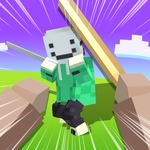
Grab your pickaxe, clear a patch of grass, and start stacking cubes until a full-blown castle looms over the landscape.
💬What is Block Craft 3d 2?
Block Craft 3d 2 drops you into a low-poly world with nothing but a cursor and a stack of blocks. The core loop is stupidly simple: click to place, click to break, and drag to look around. But that simplicity hides a surprisingly addictive sandbox. I spent my first ten minutes just carving a staircase into a hillside, then topping it with a wooden roof because it felt right. There's no pressure, no timer, no quest marker blinking — just you and a voxel landscape that quietly dares you to leave it better than you found it.
What sets it apart from a thousand other block builders is how light it feels. The world isn't cluttered with menus or microtransactions (at least in this unblocked version). You pick a block type from a simple palette, place it with a click, and rotate with the mouse. Breaking blocks is just as quick. I built a crooked little watchtower that looked terrible from the north side but I kept it anyway, because it was mine. That's the charm — the game doesn't judge your craftsmanship.
If you're the type who likes a bit of structure, you can challenge yourself to recreate something from the real world: a pixelated version of your house, a bridge over a gap, or a maze for a friend to get lost in. The physics are basic but reliable — blocks don't fall unless you break their support, so stacking upward is pure fun. Performance is smooth, even on a cheap Chromebook, which makes it great for killing time during a boring class. Just don't blame me if you look up and an hour has vanished.
👥How to Play Block Craft 3d 2
Mouse click or tap to play
✨Game Tips
Right-click or tap-and-hold to break blocks faster than clicking each one individually.
🔧FAQ
Q: Is Block Craft 3d 2 free to play?
A: Yes, it's completely free in your browser. No payment, no sign-up, just click and start building.
Q: Do I need to download anything to play?
A: No downloads required. It runs directly in your web browser as an HTML5 game.
Q: Can I play Block Craft 3d 2 on mobile?
A: Yes, the game supports touch controls. Tap to place or break blocks on a phone or tablet.
Q: What are the controls for Block Craft 3d 2?
A: Use mouse click to place blocks, right-click or shift-click to break them, and drag to rotate the camera.
Q: Does Block Craft 3d 2 save my progress?
A: This unblocked version doesn't save your builds after you close the tab, so enjoy it while it lasts.
Q: Can I play Block Craft 3d 2 at school?
A: Since it's unblocked and browser-based, it usually works on school networks that allow HTML5 games.