
Block Slider Game
Play Count0
Published2021-05-04
Supported DevicesPC
CategoryAdventure & RPG
Rating★★★★★5.0Rate this game
📝Block Slider Game Overview
Sliding blocks in 3D sounds easy until the third move traps you behind a wall of your own making.
💬What is Block Slider Game?
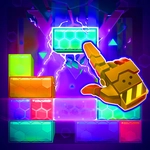
You've got a board of smooth, glossy blocks and one clear goal: slide the special piece to the exit. The catch? The whole thing sits in a rotatable 3D space, so what looks like an open lane from one angle becomes a dead end the moment you spin the camera. It's a spatial reasoning workout disguised as a casual browser game. The controls are dead simple—click or drag a block and it slides until it hits something, just like those old sliding puzzles. But the extra dimension messes with your brain in the best way.
I'll admit I spent longer than I'd like to mention on level four because I kept missing a block hiding directly behind another one. That's the "aha" moment: you rotate the view slightly and suddenly the solution appears, like the puzzle was winking at you. The back button is a lifesaver here—one wrong slide and you can rewind instead of resetting the entire board. It feels like the developers actually understood frustration.
There's no timer, no score penalty, just pure block-pushing logic with a chill soundtrack. The difficulty curve ramps up gradually, introducing multi-layered blocks and slide restrictions around level ten. If you enjoy puzzles that make you feel clever after solving them, this one scratches that itch without overstaying its welcome.
👥How to Play Block Slider Game
When you accidentally move an error, you can click the back button to go back to the previous step.
✨Game Tips
Use the back button immediately when you spot a dead end forming—it's faster than undoing a whole sequence manually.
Rotate the camera before every major slide; the 3D view hides blocks that are essential to the solution.
Plan at least two moves ahead, especially on levels with multiple identical blocks.
Focus on creating a path for the special block first, then move other blocks out of the way.
Some blocks only slide in one direction—check their texture or border color to avoid a wasted move.
If you're stuck, walk away for five minutes. Your brain keeps solving spatial puzzles in the background.
🔧FAQ
Q: Is Block Slider Game free to play?
A: Yes, it's completely free in your browser with no paywalls or hidden fees.
Q: Can I play Block Slider Game on mobile?
A: Absolutely—the touch controls work great on phones and tablets, no keyboard needed.
Q: Do I need to download or install anything?
A: No downloads. It runs in HTML5, so just open the page and start sliding.
Q: What if I make a mistake on a level?
A: Use the back button to undo your last move, or restart the level if you're totally stuck.
Q: How many levels does Block Slider Game have?
A: The game includes dozens of increasingly tricky 3D slide puzzles, with more unlocked as you progress.
Q: Is Block Slider Game unblocked at school?
A: Yes, this version is hosted as an unblocked game, so you can play it on most school networks.