
Block Stacking 3D Game
Play Count0
Published2022-05-30
Supported DevicesPC + Mobile
CategoryAdventure & RPG
Rating★★★★★5.0Rate this game
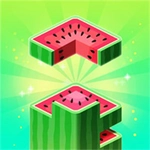
📝Block Stacking 3D Game Overview
Stack blocks higher than anyone else in this tense 3D balancing act—one wobble and the whole tower comes crashing down.
💬What is Block Stacking 3D Game?
The first block always feels easy. You line it up, drop it, and think you've got the whole game figured out. Then block twelve comes down a little off-center, the tower starts leaning like a drunk giraffe, and suddenly you're holding your breath on every click. That's Block Stacking 3D Game in a nutshell—simple to pick up, brutal to master.
You control a hovering block that swings across the screen. Mouse moves it side to side, click drops it, and the keyboard gives you extra control for fine-tuning the angle or rotation. The goal is to land each block perfectly on top of the last one. Perfect aligns reward you with a clean cut and a bonus; sloppy drops shave off the overhanging edges, making the next target even smaller. I've had runs where I hit a streak of perfects and felt unstoppable, then one lazy click sent the whole structure sideways. The 3D perspective adds depth but also messes with your depth perception—blocks near the top look tiny even when they're not.
What keeps me coming back is the tension. You're not fighting enemies or racing a clock; you're fighting your own impatience. The game doesn't punish you for waiting, so you can take your time lining up each drop. But you won't. You'll get cocky, speed up, and then watch your tower pancake into a pile of virtual regret. The best runs happen when you settle into a rhythm, breathing out right before each click. It feels less like a puzzle and more like meditation with consequences.
👥How to Play Block Stacking 3D Game
Use Mouse To Play and Keyboard
✨Game Tips
Aim for the center of the previous block, not the edge—overhang gets sliced off next drop.
Use the keyboard for micro-adjustments after you get the block roughly in place with the mouse.
Wait for the block to stop swinging before you click; a moving drop is almost never accurate.
Perfect aligns extend your combo and keep the target area large, so don't rush the early blocks.
If the tower starts leaning, deliberately drop slightly off-center on the opposite side to correct it.
Play a few warm-up rounds without aiming for height—just practice consistent centering.
🔧FAQ
Q: Is Block Stacking 3D Game free?
A: Yes, it's completely free to play in your browser with no hidden fees.
Q: Can I play Block Stacking 3D Game on mobile?
A: It works on mobile browsers, though the mouse and keyboard controls are best on desktop.
Q: Do I need to download anything?
A: No downloads required—just open the page and the game loads instantly.
Q: What's the difference between mouse and keyboard controls?
A: Mouse handles positioning and dropping; keyboard lets you rotate or make fine adjustments for precision.
Q: Is there a score or leaderboard?
A: You get a height score that increases with each block, but there's no global leaderboard.
Q: Can I pause the game mid-run?
A: Yes, most versions let you pause by clicking away or hitting a pause key, but the tower stays frozen.