
Blocks 3D
Play Count0
Published2024-09-18
Supported DevicesPC + Mobile
CategoryAdventure & RPG
Rating★★★★★5.0Rate this game
📝Blocks 3D Overview
Stack towering 3D blocks and race the clock to clear layers in this brain-bending spatial puzzle.
💬What is Blocks 3D?
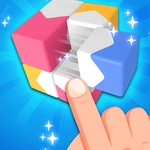
I'll be honest, Blocks 3D wrecked my afternoon. It starts simple enough: a chunky 3D grid sits in front of you, and color-coded blocks drop from above. You tap or click to spin them, slide them left or right, and drop them into place. The twist? It's not a flat board. The grid has depth, so you can slot pieces behind or in front of others, meaning every move has three dimensions of consequence. That’s where the brain-ache kicks in.
The moment that sold me was when I finally built a solid floor across the back row, only to realize I'd walled off a hole in the middle. You can't just stack taller—you have to think about what's underneath and what's coming next. Clearing a full layer feels glorious: the blocks shatter with a satisfying crunch, the camera does a little zoom, and your score ticks up. Fail to clear, and the pile creeps higher until it hits the top. Then it's game over, and you're already reaching for the restart button.
Controls are dead simple—mouse click or tap—but the depth makes it surprisingly tricky. I kept telling myself 'one more run' and ended up three hours deep. It runs smooth in a browser, no downloads, and the minimal sound design keeps you locked in without getting annoying. If you like spatial puzzles or just want a fresh take on the block-stacking formula, give it a shot.
👥How to Play Blocks 3D
Mouse click or tap to play
✨Game Tips
Spin pieces while they're high up—waiting until they're near the stack leads to panic moves.
Keep an eye on the ghost outline; it shows exactly where the block will land.
Clear layers in the back first, since the front can always be filled later.
Don't chase perfect placement early on. A messy but flat layer beats a neat hole.
Tap twice to hard-drop when you're absolutely sure; it saves precious seconds.
If a piece doesn't fit, drop it in a corner and build around it rather than forcing a bad angle.
🔧FAQ
Q: Is Blocks 3D free to play?
A: Yes, it's completely free in your browser with no hidden fees or premium unlocks.
Q: Can I play Blocks 3D on my phone?
A: Absolutely—the touch controls work great on mobile, just tap the screen to rotate and drop.
Q: Do I need to download anything?
A: No downloads needed. It runs directly in your web browser as an HTML5 game.
Q: What's the goal of Blocks 3D?
A: Stack the falling 3D blocks to fill entire layers. Full layers vanish and score you points.
Q: How do I rotate the blocks?
A: Click or tap the screen to spin the block. Some versions let you swipe to move left and right.
Q: Does Blocks 3D work on slow internet?
A: Once it loads, it runs offline. Just keep the tab open and you can play without a connection.