
Bridge Builder 3D
Play Count0
Published2025-03-04
Supported DevicesPC + Mobile
CategoryAdventure & RPG
Rating★★★★★5.0Rate this game
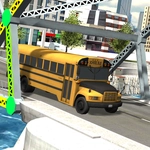
📝Bridge Builder 3D Overview
Engineer a path across impossible gaps and watch your creation collapse spectacularly before you get it right.
💬What is Bridge Builder 3D?
I still remember my first bridge in Bridge Builder 3D. Looked sturdy enough — steel beams, tight joints, the works. Then the delivery truck rolled onto it and the whole thing folded like a cheap lawn chair. That's the moment I realized this isn't about slapping pieces together; it's about actually understanding how forces flow through a structure. You'll spend half your time staring at a sagging truss, muttering "one more tweak" until it either holds or snaps in spectacular fashion.
The controls are dead simple — click to place nodes, drag to connect beams, then hit play and pray. But underneath that simplicity hides real engineering puzzles. Different materials cost different amounts, and your budget forces hard choices. Do you splurge on steel for the main span and skimp on supports? Or use cheaper wood but build a redundant network so one broken joint doesn't doom the whole thing? The 3D camera lets you spin around your creation, which helped me spot a clearance issue where a support beam clipped the truck's trailer. That's the kind of detail that makes you feel like an actual bridge inspector.
What keeps me coming back is the scoring. Surviving with a wobbly mess gets you across, but building something elegant that handles multiple trucks without a complaint feels like a minor triumph. Each level adds new twists: rivers with barge traffic, uneven canyon walls, even moving loads. It's the perfect game for anyone who ever played with LEGOs and wondered "what if I built this with physics turned on?"
👥How to Play Bridge Builder 3D
Desktop: Use your mouse or touchpad to build a bridge.
Mobile: Use touchscreen and on-screen controls.
✨Game Tips
Start with triangles — they distribute weight much better than rectangles or squares.
Test early with the heaviest vehicle you can choose, not the lightest one.
Leave vertical clearance for tall loads if a truck silhouette appears in the level preview.
Use the cheapest material that works; leftover budget usually adds to your score.
Rotate the camera before placing anchors on cliff edges, snapping can surprise you.
If a beam turns red during a stress test, reinforce adjacent nodes instead of blindly replacing it.
🔧FAQ
Q: Is Bridge Builder 3D free to play?
A: Yes, it's completely free in your browser — no paywalls or locked levels.
Q: Do I need to download anything to play Bridge Builder 3D?
A: No downloads. It runs right in your browser using HTML5, so just click and build.
Q: Can I play Bridge Builder 3D on my phone?
A: Absolutely. The touchscreen controls work on mobile, and the UI adjusts to smaller screens.
Q: How do I rotate the camera in Bridge Builder 3D?
A: Drag with the right mouse button (or two fingers on mobile) to orbit around your bridge.
Q: What's the best material for long spans?
A: Steel is strongest but expensive. Use it for main beams and save wood for vertical supports.
Q: Why does my bridge collapse when the truck is halfway across?
A: Likely a tension issue — add diagonal bracing to distribute the load before it reaches the weak point.