
BTS Racing Car Coloring
Play Count0
Published2022-12-05
Supported DevicesPC + Mobile
CategoryKids & Educational
Rating★★★★★5.0Rate this game
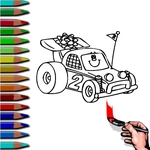
📝BTS Racing Car Coloring Overview
Pick your colors, zoom in on the details, and turn plain BTS racing cars into full-throttle masterpieces.
💬What is BTS Racing Car Coloring?
So you're staring at a lineup of blank racing machines, some with BTS logos slapped on the hood, and honestly the white outlines feel like a challenge. The color palette sits on the side — all the usual suspects: neon greens, hot pinks, deep blues. You click a shade, then tap a section of the car, and it floods with color instantly. No brush lag, no bleeding over the lines unless you're sloppy with the mouse. I spent a good minute just testing how clean the fill was on the rear spoiler.
What gets me is the variety of car poses. Some are mid-drift with motion lines behind the wheels, others are parked at an angle showing off the BTS decals. You're not just coloring flat shapes; there are gradients and shadow zones that react differently if you pick metallic colors over matte ones. I didn't expect that level of detail in a free browser game. The trick is to use the zoom buttons (or mouse wheel if it's supported) to get into the tiny details like the rim spokes and the headlight glints. Miss those and the whole car looks unfinished.
It's low-pressure stuff — perfect for killing five minutes between classes or while a video buffers. No timers, no wrong answers, just the satisfying click-click-click of filling in each panel. If you're into BTS, the themed elements (the member initials, the little heart decals) are a nice touch; if you're not, it's still a solid coloring sandbox. My only gripe: there's no undo button for a misclick, so make sure your mouse hand is steady before you commit to that neon orange on the windshield.
👥How to Play BTS Racing Car Coloring
Mouse to play.
✨Game Tips
Zoom in on the rims and grille first; those small details make the finished car pop.
Use the lightest color for the car body so the BTS decals stay readable.
Stick to contrasting shades for the background lines if you want the car to stand out from the page.
Work left to right across the car to avoid smudging your mouse cursor into a freshly filled zone.
If you mess up, reload the page and start fresh — there's no undo, so plan your palette before clicking.
Try filling the shadow zones with a darker version of the body color to fake a quick gradient.
🔧FAQ
Q: Is BTS Racing Car Coloring free to play?
A: Yes, it's completely free in your browser. No hidden charges or premium colors.
Q: Can I play BTS Racing Car Coloring on my phone?
A: The game uses mouse controls, but touch screens usually work as a tap-to-fill substitute. Desktop gives the best precision.
Q: Do I need to download or install anything?
A: No downloads. The game runs on HTML5, so just open the page and start coloring.
Q: Is there an undo button if I color the wrong section?
A: No undo feature exists. Reloading the page resets the current car, so plan your colors before you click.
Q: Can I save or print my finished BTS racing car?
A: The game doesn't have a built-in save, but you can take a screenshot with your device.
Q: Is this game suitable for younger kids?
A: Yes, it's very kid-friendly. No violence, no timers, just simple coloring fun with BTS-themed cars.