
Bus 3D Parking
Play Count0
Published2022-11-04
Supported DevicesPC
CategoryAdventure & RPG
Rating★★★★★5.0Rate this game
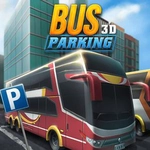
📝Bus 3D Parking Overview
Squeeze a 40-foot bus through cramped parking decks without clipping a single pillar — your rear bumper will thank you.
💬What is Bus 3D Parking?
Parking a bus is nothing like parking a hatchback. The turning circle is massive, the rear overhang swings wide, and every pillar in this 3D lot seems placed specifically to embarrass you. Bus 3D Parking throws you behind the wheel of full-size coaches and asks you to slot them into impossibly tight spaces. The first time I clipped a concrete column while trying to reverse into a bay, I understood: this game punishes optimism.
Controls are simple — arrow keys or WASD, space for brake maybe, C to change camera. But simple controls don't mean simple driving. You'll need to babysit both side mirrors, feather the throttle, and plan your approach two moves ahead. Some levels have you parallel park between two buses; others have you weave through multi-storey ramps with barely a tyre's width to spare. The camera is your best friend and worst enemy. Switch to the overhead view when you're lost, then back to cockpit to judge the nose clearance. I kept catching myself leaning in my chair like that would help the bus turn tighter.
No traffic, no timers (thankfully), just you against geometry. That might sound calm, but the quiet tension of inching forward, listening for that ugly scrape sound, is real. If you're into methodical driving challenges rather than arcade chaos, this one scratches an itch. Just don't be too proud to restart the level when you've wedged the bus diagonally across the entire parking structure. I've been there.
👥How to Play Bus 3D Parking
Keyboards Controls
✨Game Tips
Use the overhead camera before committing to a turn; the side mirrors lie.
Reverse into parking bays whenever possible — buses are more maneuverable in reverse at low speed.
Brake early and coast; buses carry momentum and stopping distance is longer than you think.
Watch the rear overhang on tight turns, not just the front bumper.
Reset the level instead of fighting a bad angle — you'll save time and frustration.
Feather the throttle rather than holding it down; smooth inputs prevent jackknifing.
🔧FAQ
Q: Is Bus 3D Parking free to play?
A: Yes, it's completely free in your browser with no payment required.
Q: Can I play Bus 3D Parking on my phone?
A: The game runs in a mobile browser, though keyboard controls are recommended for precision.
Q: Do I need to download anything to play?
A: No downloads needed. It loads instantly as an HTML5 game.
Q: What are the controls for Bus 3D Parking?
A: Use WASD or arrow keys to drive, space to brake, and C to switch camera views.
Q: Does Bus 3D Parking have multiple levels?
A: Yes, there are multiple parking scenarios with increasing difficulty and tighter spots.
Q: Why does my bus keep hitting the walls?
A: Slow down, use the overhead view, and reverse into spaces instead of driving in forward.