
Bus Crash Stunts 2
Play Count0
Published2021-10-29
Supported DevicesPC
CategoryAdventure & RPG
Rating★★★★★5.0Rate this game
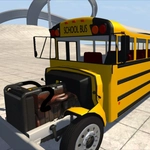
📝Bus Crash Stunts 2 Overview
Jump behind the wheel of a runaway bus, slam the nitro, and send it flying off ramps into explosive stunt zones—crash physics have never felt this satisfying.
💬What is Bus Crash Stunts 2?
I'll be honest—I came for the title and stayed for the physics. Bus Crash Stunts 2 is exactly what it sounds like, but the execution is way more fun than it has any right to be. You get a clunky city bus, a few ramps scattered around a sandbox map, and a nitro button that turns 'mildly reckless' into 'how did that not tip over?' The controls are simple: WASD to drive, F for a nitro boost that makes the screen shake, C to switch camera angles, and B to check the damage behind you. The real joy isn't landing stunts; it's watching the bus crumple into a guardrail at sixty miles an hour while the wheels keep spinning.
What caught me off guard was how deliberate the crashing feels. You can't just floor it and expect a spectacular wipeout—you need to line up each ramp, hit the nitro at the wrong moment (or right moment, depending on your goals), and then let the bus's weight do the work. I spent a solid ten minutes trying to flip the bus end over end off the biggest ramp, and when it finally happened, the slow-motion camera made it feel earned. The map isn't huge, but it's packed with little stunt setups: stacked containers, a curved ramp that launches you sideways, and plenty of solid walls to test the deformation.
It won't win awards for realism, but that's not the point. This is a game about driving a city bus like a maniac and seeing what breaks. If you like destruction sandboxes, you'll get your money's worth—assuming no money is involved, which is the best part since it's free and unblocked.
👥How to Play Bus Crash Stunts 2
Controls:
WASD - Drive
C - camera
F - Nitro
B - View back
✨Game Tips
- Tap the nitro right as you hit the ramp lip for maximum airtime—too early and you'll just spin the wheels.
- Use the C key to switch to the overhead camera when lining up long jumps; it helps you spot the ramp edges.
- Don't brake in mid-air. Let the bus rotate naturally and you'll land more stunts.
- Aim for the stacked containers near the far wall—they're placed so a full nitro hit sends you cartwheeling.
- If you're about to flip, hold the opposite direction and tap F to try to correct mid-roll. It rarely works, but it's funny.
- The back view (B) is great for checking if your rear wheels are still attached before attempting another jump.
🔧FAQ
Q: Is Bus Crash Stunts 2 free?
A: Yes, it's completely free to play in your browser with no hidden fees or in-game purchases.
Q: Can I play Bus Crash Stunts 2 on mobile?
A: The game is designed for keyboard controls, so a desktop or laptop is recommended. Touch support is limited.
Q: Do I need to download anything?
A: No downloads needed—just open the game page and start driving. It runs on HTML5.
Q: What are the controls?
A: Use WASD to drive, F for nitro, C to change camera, and B to look behind you.
Q: Is there a goal or just free roam?
A: There's no set objective; it's a sandbox stunt map. You set your own crash goals.
Q: Will the bus actually deform or just stop?
A: The bus shows visible damage and parts can fly off, but it won't fully explode. Physics are exaggerated.