
Bus Parking
Play Count0
Published2020-01-15
Supported DevicesPC
CategoryAdventure & RPG
Rating★★★★★5.0Rate this game
📝Bus Parking Overview
Squeeze a full-size city bus into impossibly tight spots without clipping a single cone.
💬What is Bus Parking?
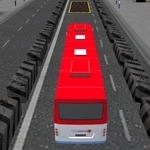
I've never driven an actual bus, but Bus Parking makes me feel like I should hand back my license before I ever touch a real steering wheel. You get a full-size city bus and a parking lot full of spots that look about two inches wider than the vehicle. The WASD controls are simple enough, but the turning radius is brutal. Swing too early and your back end clips a car; swing too late and your front bumper kisses a lamppost.
The camera change on C is the real trick. I kept swapping between an overhead view and a chase cam depending on whether I was lining up or backing in. One specific moment: trying to parallel park between two buses that were already parked, I had to do a seven-point turn while sweating through a three-minute timer. Changing to the direct rear view made all the difference — suddenly I could see exactly how much space was left.
What keeps me coming back is the satisfaction of nailing a clean park without touching a single cone. Some levels add moving traffic or tight corners that force you to plan your approach ahead of time. It's not flashy, but it's exactly the kind of precision challenge that makes you lean forward in your chair. If you like games where patience beats reflexes, this one's worth your time.
👥How to Play Bus Parking
• WASD to control bus
• C to change camera
✨Game Tips
Switch to chase camera with C before attempting tight turns — the overhead view lies about your clearance.
Brake early and creep forward; the bus keeps rolling after you release W.
When reversing, line up your rear wheels with the painted line before straightening out.
Use tiny taps on A and D instead of holding them down, especially at low speed.
If you clip a cone, don't reset — back up gently and fix the angle instead of starting over.
Save some patience for the parallel parking levels; they demand a full three-point (or seven-point) turn.
🔧FAQ
Q: Is Bus Parking free to play?
A: Yes, Bus Parking is completely free online. You don't need to pay or sign up to access the game.
Q: Can I play Bus Parking on my phone or tablet?
A: The game runs on HTML5, so most modern mobile browsers can load it. Touch controls are not built in, though — a keyboard is recommended.
Q: Do I need to download or install anything?
A: No downloads required. Just open the page in any web browser and the game starts immediately.
Q: What are the controls for Bus Parking?
A: Use the WASD keys to drive and reverse the bus. Press C to cycle through different camera angles.
Q: Is Bus Parking unblocked at school?
A: Yes, this version is hosted on an unblocked games site, so it usually bypasses school network filters.
Q: How hard is Bus Parking?
A: It starts easy but gets tricky fast. Tight spaces and a long wheelbase make small misjudgments very punishing.