
Bus Parking 3D Online
Play Count0
Published2022-09-14
Supported DevicesPC
CategoryAdventure & RPG
Rating★★★★★5.0Rate this game
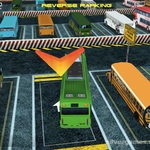
📝Bus Parking 3D Online Overview
Squeeze a full-size city bus into a tight spot without scraping the paint, and you'll feel the pressure in this unblocked 3D parking challenge.
💬What is Bus Parking 3D Online?
I spent twenty minutes trying to reverse a bus between two dumpsters, nudging forward and back while sweating the rear bumper. The camera doesn't always cooperate, but that's half the fun—you learn to trust your mirrors and your gut. The controls are simple: arrow keys to move, space to brake, but momentum and length make every correction feel heavy. Unlike car parking games, you can't just flick the wheel; you have to plan your approach two steps ahead.
There are multiple levels, each with tighter angles and more unpredictable obstacles. Some spots require threading the needle between parked vehicles; others put you on a narrow pier with water on either side. The physics are forgiving enough to keep frustration low but realistic enough that hitting a curb makes you cringe. I kept coming back after each failure because the satisfaction of a perfect park—no bumps, no adjustments—is weirdly addictive. If you've ever watched a city bus driver parallel park and thought 'how?', this game gives you a tiny taste.
👥How to Play Bus Parking 3D Online
Arrows = Move, Space = Brake
✨Game Tips
Use the space bar judiciously—braking hard mid-turn can save you from a scrape, but too much speed kills your angle.
Line up your approach early; trying to correct at the last second usually ends with a bus-shaped dent.
The camera can swing wild when reversing, so tap the arrow keys lightly instead of holding them.
Don't be shy about using the whole road to make a wide turn; buses need space.
If you're stuck, just back out and try a different entry angle rather than forcing it.
🔧FAQ
Q: Is Bus Parking 3D Online free to play?
A: Yes, completely free in your browser—no download or signup needed.
Q: Can I play Bus Parking 3D Online on my phone?
A: The HTML5 version runs on most mobile browsers, though keyboard controls work best on desktop.
Q: Do I need to download anything to play Bus Parking 3D Online?
A: No downloads—just open the page and start driving.
Q: What are the controls for Bus Parking 3D Online?
A: Arrow keys move the bus, space bar brakes. Simple but takes practice.
Q: Is Bus Parking 3D Online a multiplayer game?
A: No, it's a single-player parking challenge with increasing levels.
Q: Can I play Bus Parking 3D Online at school?
A: It's an unblocked game, so it should work on most school networks.