
Call of Bravery Shooter
Play Count0
Published2024-03-08
Supported DevicesPC + Mobile
CategoryAdventure & RPG
Rating★★★★★5.0Rate this game
📝Call of Bravery Shooter Overview
Drop into a hostile warzone where every corner hides a threat — and only quick aim and weapon swaps will keep you alive in Call of Bravery Shooter.
💬What is Call of Bravery Shooter?
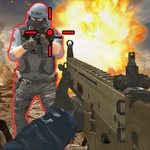
Call of Bravery Shooter throws you straight into a 3D battlefield with barely a tutorial. You move with WASD, aim with the mouse, and the second you step out of cover, bullets are already snapping past your head. I remember my first spawn: I turned a corner, saw three enemies lined up, and panicked harder than I'd like to admit. The game doesn't hold your hand — you learn to check your six or you die. Rewind that: you die, then you learn.
The weapon system is where it gets interesting. You've got four guns on quick-swap (1 through 4), and picking the right one for the range decides fights. The rifle is your workhorse at medium distance, but when an enemy rushes you, that shotgun is a lifesaver. I kept catching myself reloading at the worst possible moment — out in the open, half a second too late. You'll learn to break that habit or you'll see the respawn screen more than the victory one. On mobile, the virtual wheel handles movement and tap buttons fire, which feels surprisingly tight for a browser shooter. The auto-aim assist on mobile (if you're playing on a phone) gives you a fighting chance without a mouse.
There's no complicated story, no cutscenes, no filler. Just waves of hostiles, tight corridors, and a simple loop that keeps pulling you back for one more round. The graphics are solid for an HTML5 game — not triple-A, but the environments have enough detail to sell the tension. If you're stuck at school or work and need a quick FPS fix that loads in seconds, Call of Bravery Shooter does the job without pretending to be anything more than what it is: raw, fast, and a little bit ruthless.
👥How to Play Call of Bravery Shooter
On PC
WASD = move
Mouse = aim and fire
R = reload
1234 = change weapons
On Mobile
Drag the wheel = move
Tap buttons = shoot
✨Game Tips
Keep your crosshair at head height when rounding corners — most enemies pop out exactly there.
Switch to the shotgun before entering tight rooms; it clears doorways instantly.
Don't reload in the open. Break line of sight first, then hit R.
Use number keys 1-4 to swap weapons instead of clicking, it's noticeably faster.
Strafe while shooting on mobile — the movement wheel lets you dodge return fire better than standing still.
Watch the ammo counter in the bottom corner; running dry mid-fight is a free ticket back to spawn.
🔧FAQ
Q: Is Call of Bravery Shooter free to play?
A: Yes, it's completely free in your browser with no hidden paywalls or downloads.
Q: Can I play Call of Bravery Shooter on mobile?
A: Absolutely. Use the on-screen movement wheel and tap buttons to aim and shoot.
Q: Do I need to download or install anything?
A: No downloads needed. It runs on HTML5, so just open the page and play.
Q: What are the PC controls?
A: WASD moves, mouse aims and fires, R reloads, and number keys 1-4 change weapons.
Q: Is Call of Bravery Shooter unblocked at school?
A: Usually yes, since it's a browser game without external downloads, but school filters may vary.
Q: Does the game have multiplayer or is it solo?
A: It's a single-player shooter against AI enemies — no waiting for lobbies.