
Candy Crunch: Sugar Escape
Play Count0
Published2026-02-18
Supported DevicesPC + Mobile
CategoryAdventure & RPG
Rating★★★★★5.0Rate this game
📝Candy Crunch: Sugar Escape Overview
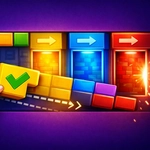
Slide sugar cubes through sticky 3D mazes before the whole candy kingdom collapses—one wrong drag and you're stuck in a gooey corner.
💬What is Candy Crunch: Sugar Escape?
You know that feeling when a puzzle looks cute and harmless? That's Candy Crunch: Sugar Escape, until you realize you've been staring at the same three candy blocks for ten minutes, trying to figure out which one slides where. It's a 3D sliding block puzzle wrapped in bright, sugary colors, but don't let the frosting fool you—it gets sneaky fast. You drag blocks around a board to clear a path or match them up, and the 3D perspective makes judging distances way trickier than it sounds.
I got stuck early on because I kept forgetting that blocks can fall off the edge if you slide them too far. There's this one level where you have to line up a pink cube with a hole on the far side, and I must have reset it five times before I realized I was pushing the wrong block first. That's the hook: it's not just about moving pieces, but about ordering your moves so you don't trap yourself. The touch controls on mobile are surprisingly smooth, though on desktop the mouse drag feels a bit floaty until you get used to it.
Overall, it's a chill-but-challenging brain teaser that's easy to pick up and hard to put down. If you like spatial reasoning puzzles like a 3D Unblock Me or a less violent version of those sliding ice puzzles, you'll probably lose an afternoon to this one. Just don't trust the candy theme—it's all traps and sugar-coated dead ends.
👥How to Play Candy Crunch: Sugar Escape
Desktop
Mouse / Touchpad: Click and drag to move candy blocks
Mobile
Touch: Swipe to slide candy blocks
✨Game Tips
Always check what happens if you slide a block all the way—often it'll drop off the edge and you're stuck.
Plan your moves backward from the goal; decide which block needs to go last and work in reverse.
Corners are your friends. Shove a block into a corner to keep it out of the way while you sort the others.
Use small, careful swipes instead of fast drags—the 3D view hides gaps that make you overshoot.
If you're totally stuck, don't reset immediately. Sometimes sliding a wrong block back the same way reveals a new angle.
On mobile, hold your finger down for a second before swiping to see the block's path preview, it's super helpful.
🔧FAQ
Q: Is Candy Crunch: Sugar Escape free to play?
A: Yes, it's completely free in your browser with no hidden payments.
Q: Can I play Candy Crunch: Sugar Escape on my phone?
A: Yes, it works great on mobile with touch swipe controls.
Q: Do I need to download or install anything?
A: No download needed—just open the game in your web browser and start playing.
Q: Is Candy Crunch: Sugar Escape unblocked at school?
A: Yes, this version is hosted on an unblocked games site so it usually bypasses filters.
Q: Does the game save my progress automatically?
A: It saves your current level in your browser, but clearing cookies may reset it.
Q: What if the game doesn't load or runs slowly?
A: Try refreshing the page or closing other tabs—it's lightweight but needs a stable connection.