
Car Lot King Parking Manage 3D
Play Count0
Published2022-09-07
Supported DevicesPC + Mobile
CategoryAdventure & RPG
Rating★★★★★5.0Rate this game
📝Car Lot King Parking Manage 3D Overview
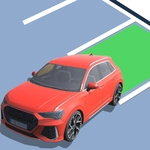
Squeeze oversized SUVs into impossibly tight spots and turn a chaotic car lot into your personal parking empire.
💬What is Car Lot King Parking Manage 3D?
I’ll admit it — I clicked on this expecting another lazy parking sim, but Car Lot King Parking Manage 3D actually got its hooks in me. The premise is simple: you tap to guide a stream of cars into open spaces, but the lot isn't some forgiving empty grid. There are pillars, tight corners, other parked vehicles, and the occasional oversized truck that handles like a boat. What starts as a relaxing tap-tap-tap turns into a sweaty-palmed exercise in spatial awareness around level 8, when the lot shrinks and the cars keep coming faster.
The 'manage' part isn't just for show. You have to juggle multiple vehicles at once — some waiting at the entrance, others already positioned but maybe blocking a better spot. I lost count of how many times I confidently guided a sedan into a gap, only to realize I'd created a dead end for the pickup behind it. That moment of panic, then the quick reverse and re-angle, is where the real fun lives. The 3D camera lets you swivel just enough to judge distances, and the physics feel surprisingly weighty for a browser game. You’ll scrape bumpers, hear that low metallic thud, and curse under your breath.
It’s not a deep simulation by any means, but it nails the satisfaction of clearing a wave without a single collision. Later levels add ramps, angled slots, and even moving obstacles that keep you honest. The visuals are clean and functional — nothing flashy, just clear lanes and readable car models. If you enjoy puzzle-adjacent driving games that punish impatience, this one’s worth a few lunch breaks. Just don’t blame me when you start backing into imaginary spots in your own driveway.
👥How to Play Car Lot King Parking Manage 3D
Tap to park
✨Game Tips
Tap slightly ahead of where you want the car to go; the turning radius is wider than it looks.
Pause between cars and check the whole lot before committing to a spot — future cars may need the space.
Use the camera rotate button before navigating tight pillars, not after you're already stuck.
Don't rush the pickup trucks or SUVs; they need more room to swing in.
Watch for moving obstacles on later levels and time your tap to avoid them.
If you clip a bumper, don't panic — reverse slowly and straighten out before continuing.
🔧FAQ
Q: Is Car Lot King Parking Manage 3D free to play?
A: Yes, it's completely free to play in your browser with no hidden charges.
Q: Do I need to download anything to play Car Lot King Parking Manage 3D?
A: No downloads needed. It runs directly in any modern web browser using HTML5.
Q: Can I play Car Lot King Parking Manage 3D on my phone?
A: Yes, the tap-to-park controls work perfectly on mobile touchscreens as well as desktop.
Q: What are the controls for Car Lot King Parking Manage 3D?
A: Just tap or click where you want the car to go. Use on-screen buttons to rotate the camera.
Q: Is Car Lot King Parking Manage 3D suitable for kids?
A: Absolutely, there's no violence or inappropriate content — just parking puzzles and light pressure.
Q: Does Car Lot King Parking Manage 3D save my progress?
A: Progress is saved automatically in your browser as you complete levels.