
Car Parking 3D
Play Count0
Published2019-12-20
Supported DevicesPC
CategoryAdventure & RPG
Rating★★★★★5.0Rate this game
📝Car Parking 3D Overview
Think you can parallel park a full-size SUV without dinging the bumper? Car Parking 3D will test that confidence one narrow bay at a time.
💬What is Car Parking 3D?
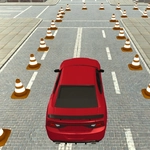
The first time I tried to reverse into a slanted bay, I clipped the car next to me three times before I realized the camera angle matters just as much as the steering. Car Parking 3D is exactly that kind of humbling experience. The controls are dead simple—WASD or arrow keys—but fine motor control becomes a whole different beast when a concrete pillar sits directly in your blind spot. What starts as "how hard can this be?" quickly turns into a surprisingly tense game of spatial judgment. Each level gives you a specific vehicle, some tighter spot than the last, and no room for lazy corrections.
What makes it work is the physics. Cars don't just glide; they turn with weight, need a bit of throttle to steer at low speed, and punish you for approaching a curb at the wrong angle. I found myself doing the same thing I do in a real parking garage: creeping forward, straightening out, then backing in with tiny adjustments. The difference here is you can reset instantly after a messed-up attempt. That loop—try, fail, adjust, succeed—hooked me for a lot longer than I'd like to admit. There's also a quiet satisfaction in kissing the line perfectly without triggering the collision detection.
Don't come expecting racing or stunts. This is a precision game for people who enjoy the slow burn of mastering a motor skill. It works in short bursts, maybe during a break, and the difficulty climbs just fast enough to keep you frustrated but not broken. The camera can feel limiting at first, but learning to switch views or judge distance from the front hood is part of the skill. If you've ever watched someone spend five minutes trying to park a Corolla, you'll understand the appeal—and you'll probably be better at it after a few rounds here.
👥How to Play Car Parking 3D
• WASD to control car
✨Game Tips
Tap the camera view before you start moving—sometimes the default angle hides the curb entirely.
🔧FAQ
Q: Is Car Parking 3D free to play?
A: Yes, it's completely free to play in any browser with no hidden fees or premium levels.
Q: Can I play Car Parking 3D on mobile?
A: The game is built for desktop browsers with keyboard controls. Mobile touch controls may not work properly.
Q: Do I need to download anything to play Car Parking 3D?
A: No download needed. It runs right in your browser as an HTML5 game, so just open the page and start.
Q: What are the controls for Car Parking 3D?
A: Use WASD or arrow keys to accelerate, brake, and steer. Some camera views can be cycled with the mouse or C key.
Q: Is there a time limit in Car Parking 3D?
A: No time limit. You can take as long as you need to park, but collisions and curb hits may penalize your score or reset the level.
Q: What makes Car Parking 3D different from other parking games?
A: It focuses on realistic turning physics and tight camera angles, so you need actual precision instead of just following a glowing arrow.