
Car Parking Pro - Car Parking Game Driving Game 3D
Play Count0
Published2021-08-31
Supported DevicesPC
CategoryAdventure & RPG
Rating★★★★★5.0Rate this game
📝Car Parking Pro - Car Parking Game Driving Game 3D Overview
Maneuver through tight garages, dodge pillars, and back into spaces that would make a driving instructor sweat.
💬What is Car Parking Pro - Car Parking Game Driving Game 3D?
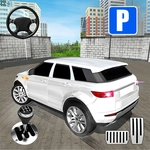
Parking a virtual car sounds dull until you're halfway into a spot with a concrete column breathing down your side mirror. Car Parking Pro nails that sweaty-palm tension. The physics aren't arcade-floaty, but they're forgiving enough that you won't throw your keyboard. You'll use arrow keys or WASD to crawl forward, brake, and reverse, with a camera that swings around so you can actually see the curb. I thought level 3 was easy, then I hit the multi-storey ramp with a 45-degree angle and rage-quit twice before nailing it.
What kept me coming back is how the difficulty sneaks up on you. Early levels are wide-open lots with painted lines. Later, you're threading a van through a gap narrower than the car's turning radius, or parallel parking on a hill with traffic cones like landmines. The game rewards patience over speed—tap the accelerator, don't hold it, and suddenly the reverse camera view becomes your best friend. You'll develop a real-world habit of checking your mirrors, which is either a plus or a sign you need a break.
Don't expect a story or explosions. It's just you, a boxy sedan, and a yellow rectangle that judges your alignment. And honestly? That's enough. When you finally park perfectly in one motion, the little chime feels like a victory lap. I'd recommend it for anyone who wants a chill but focused driving challenge—or for people who still can't parallel park in real life (no judgment).
👥How to Play Car Parking Pro - Car Parking Game Driving Game 3D
Keyboard Controls
✨Game Tips
Tap the gas instead of holding it—creeping gives you time to correct before you hit something.
Use the reverse camera frequently; it's not cheating, it's survival.
Before you start moving, check the yellow outline to know which way the car needs to face.
If you're stuck, straighten the wheels fully before reversing—turning while backing makes the car pivot unpredictably.
Handbrake turns aren't needed, but a quick tap of brake can tighten your turn radius.
Take the wider line into the spot, then straighten out once the front wheels clear the pillar.
🔧FAQ
Q: Is Car Parking Pro free to play?
A: Yes, it's completely free in your browser.
Q: Do I need to download anything?
A: No downloads needed. It runs on HTML5, so just open the page and play.
Q: Can I play Car Parking Pro on mobile?
A: The game is designed for keyboard, but it may work on touch devices depending on your browser.
Q: What are the keyboard controls?
A: Use arrow keys or WASD to drive, steer, brake, and reverse. Spacebar often works as a handbrake.
Q: Is Car Parking Pro unblocked at school?
A: If this site is accessible from your school network, the game will load without any extra steps.
Q: How many levels are there?
A: The game includes multiple parking scenarios that increase in difficulty, from open lots to tight multi-story garages.