
Car Parking Simulator
Play Count0
Published2020-01-30
Supported DevicesPC
CategoryAdventure & RPG
Rating★★★★★5.0Rate this game
📝Car Parking Simulator Overview
Squeeze a sedan into a tight space without dinging the bumper—can you nail the perfect park on your first try?
💬What is Car Parking Simulator?
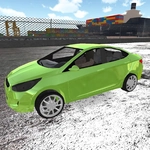
I've spent way too many hours in parking simulators, and Car Parking Simulator scratches that itch without the real-world repair bills. You grab a car, navigate a course, and try to slot it into a highlighted parking spot without clipping cones, barriers, or other vehicles. The physics feel surprisingly weighty—turning too sharp at speed will send you sliding, and the brake isn't just for show. What got me hooked is the variety: tight parallel spots, reverse-angle bays, and slaloms between obstacles. Each level feels like a puzzle where the car is the piece.
The camera system is your best friend and worst enemy. Tap C to cycle between a chase cam, hood view, and a top-down perspective that helps when you're reversing inch by inch. I found the top-down view almost essential for nailing the last few centimeters, especially on levels with pillars that block your side mirrors. One level had me reversing a pickup truck into a gap barely wider than the vehicle—I must have restarted ten times before I realized I could use the space bar to brake gently instead of slamming the reverse. That's the kind of "aha" moment that makes the frustration worth it.
Don't expect fluff—this is pure parking skill. There's no timer or score chasing, just you against the curb. The graphics are clean and functional, with decent lighting and enough detail to judge distances. It runs smooth in browser, and while it's not perfect (the collision detection can be a little forgiving on the front bumper), it's more than enough to waste an afternoon. If you want to sharpen your spatial awareness or just pretend you're a valet with nerves of steel, this one's a solid pick.
👥How to Play Car Parking Simulator
• WASD, Arrow keys: drive
• C: change camera view
• Space bar: brake
• Tab, Esc: toggle pause
✨Game Tips
Use the top-down camera (C) when lining up the final approach—it removes guesswork.
Tap Space instead of holding it to brake smoothly; hard stops can overshoot.
Reverse slowly and correct early—small steering adjustments beat big overcorrections.
Watch the front wheels turn in the hood view to understand your turning radius.
On tight spots, aim for the far line first, then straighten out.
Pause with Tab or Esc if you need to reset your angle mentally.
🔧FAQ
Q: Is Car Parking Simulator free?
A: Yes, it's completely free to play in your browser.
Q: Can I play Car Parking Simulator on mobile?
A: The game works on mobile browsers, but keyboard controls are recommended for precision.
Q: Do I need to download anything to play Car Parking Simulator?
A: No, it runs directly in your browser as an HTML5 game—no downloads or plugins.
Q: What are the controls for Car Parking Simulator?
A: Use WASD or arrow keys to drive, C to change camera, Space for brake, and Tab/Esc to pause.
Q: Does Car Parking Simulator have multiple levels?
A: Yes, it includes several parking scenarios with increasing difficulty and different vehicles.
Q: Can I play Car Parking Simulator offline?
A: No, you need an internet connection to load the game in your browser.